image

Revenue Generated For Our Clients

Guide to Creating Responsive Web Designs

Guide to Creating Responsive Web Designs

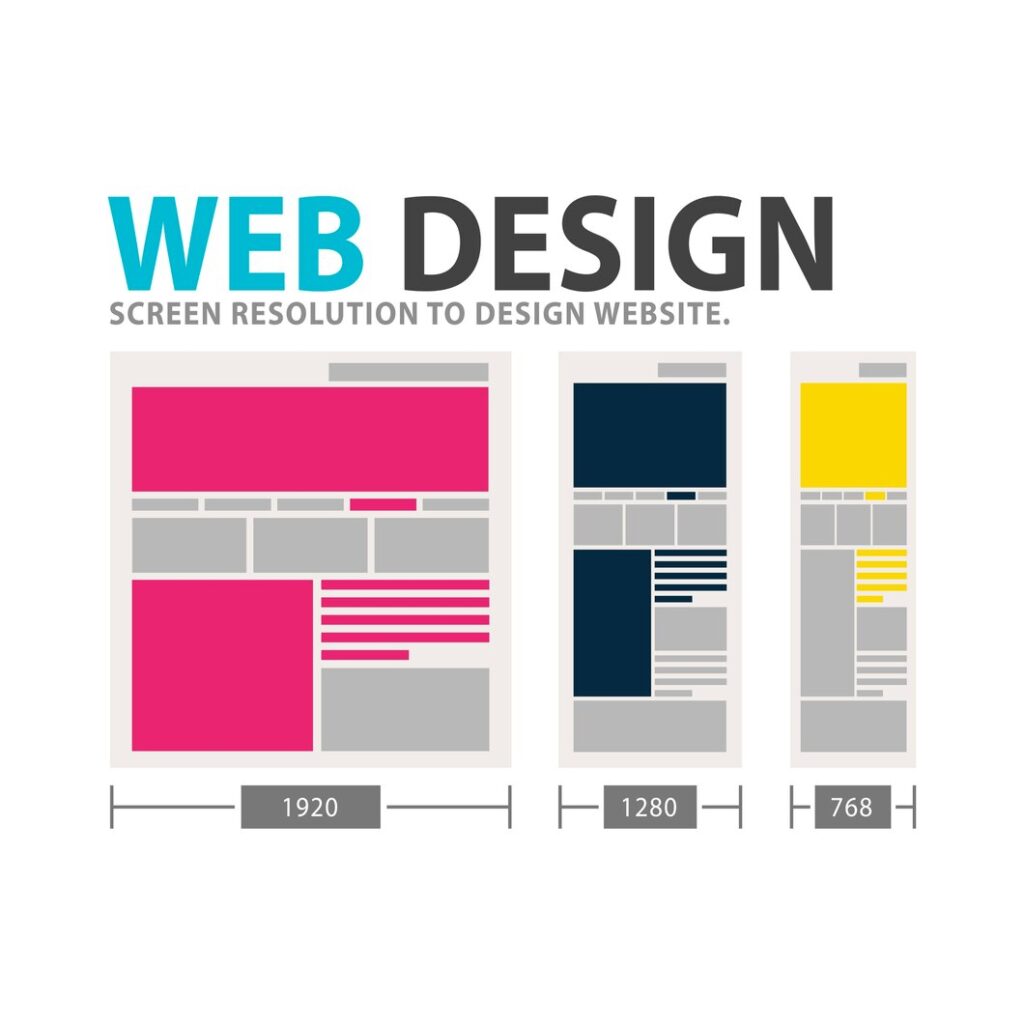
Creating responsive web designs is essential for any modern website, and our guide offers the best practices you need to follow. From understanding fluid grids to flexible images, this beginner’s guide will help you master responsive design techniques. Understanding Responsive Web Design Basics Responsive web design (RWD) is a way to build websites that look good on any device, like computers and smartphones. It helps users have a good experience no matter the screen size. RWD uses flexible layouts and images, along with CSS media queries, to change how a website looks based on the device being used. Why Choose Responsive Web Design? Choosing responsive web design has many benefits for businesses and users. One big advantage is better user experience (UX). A responsive site makes it easy for people to navigate on smaller screens, which leads to higher engagement rates. Users can find content without needing to zoom or scroll too much. Another important reason for using RWD is its impact on SEO. Search engines prefer sites that work well across different devices. When your website is optimized for all devices, it’s likely to rank higher in search results, bringing in more visitors. Benefits of Responsive Design The perks of responsive design go beyond just looks; they can help with: User Engagement: Flexible layouts let users interact easily on any device. Cost Efficiency: Having one website saves money compared to running separate sites for desktop and mobile. Brand Consistency: It keeps your brand uniform across all platforms. Impact on SEO Responsive web design follows SEO best practices by improving key website performance metrics like load times and bounce rates. Google recommends RWD because it simplifies indexing; having one URL for each piece of content makes it easier for search engines to crawl your site effectively. You can also boost your visibility in search results by optimizing images and using the right HTML tags within a responsive layout. Learn more: Best Practices for Responsive Web Design: Essential Tips and How to Create a Mobile Responsive Website: Best Practices Responsive vs. Adaptive Design: Key Differences Both responsive and adaptive designs aim to improve user experience across various devices but do so in different ways: Responsive Web Design adapts fluidly based on screen sizes using flexible grids. Adaptive Design has set layouts made for specific screen sizes. Characteristics of Each Approach Knowing their characteristics helps you choose the right method: Design Principles: Responsive designs rely on fluidity while adaptive designs use fixed layouts. Site Responsiveness: RWD adjusts based on viewport changes; adaptive designs may need extra coding when new devices come out. When to Use Which Method Choosing between these methods depends on what you need from a user-centered design perspective: Go with responsive if you want your site to adapt easily over time as tech changes. Pick adaptive if you want to focus on specific audiences who mostly use certain devices or sizes. By understanding the basics of responsive web design, you not only become more skilled but also improve your position in today’s digital world where diverse device usage is growing fast. Core Techniques for Responsive Design Mobile-First Approach: A Foundation for Success The mobile-first approach is key in responsive web design. It means you start by designing for mobile devices before moving to larger screens. This helps improve user experience because it makes sure the most important content is easy to find on small screens where space is tight. When using a mobile-first design, keep these points in mind: Prioritize Content: Focus on what users need first. Identify essential information and make it easy to find. Simplified Navigation: Use clear menus and buttons that are easy to tap on smaller screens. Performance Optimization: Reduce image sizes and optimize scripts to load quickly. Fast sites keep users engaged. This strategy not only boosts website usability across devices but also improves search engine rankings. Google tends to favor mobile-friendly sites. Fluid Grids and Layouts: Creating Flexible Structures Fluid grids are the heart of responsive web design. They allow layouts to adjust smoothly to different screen sizes. Instead of fixed widths, fluid grids use relative units like percentages, letting designs change automatically based on device size. Here are some important features: Flexible Layouts: Allow content blocks to resize proportionately instead of being stuck in set sizes. CSS Units Usage: Use CSS units like ems or rems with percentages for scalable typography and spacing. Visual Hierarchy Maintenance: Keep visual hierarchy consistent on any screen size by adjusting font sizes and spacing as needed. Using fluid grids makes your site look better and keeps users interested with easy-to-read content. Mastering Media Queries and Breakpoints Media queries are essential in responsive web design. They let developers apply specific styles based on device features like width or orientation. By setting breakpoints, you can adjust your site’s layout at different screen sizes. Here’s what to do with media queries: Define Breakpoints Wisely: Choose common breakpoints for standard device widths (like 320px for phones up to 1200px+ for desktops). Test your designs on actual devices used by your audience. Adapt Styles Efficiently: Change CSS properties, like font size or position, at each breakpoint without duplicating entire stylesheets. This keeps your code clean. Utilize Viewport Settings Properly: Make sure to set viewport meta tags correctly in HTML so browsers render pages well on different devices. By mastering media queries along with smart breakpoints, you create designs that offer a consistent digital experience no matter how users access them. Responsive Images and Media: Optimizing Visual Content In today’s online world, responsive images are a must-have. These flexible images change size to fit different screens, like smartphones and tablets. This means users can see great visuals without losing quality. It’s really important because many people browse the web on their mobile devices. SVG (Scalable Vector Graphics) is a popular choice for responsive graphics. Unlike JPEG or PNG files, SVG images stay sharp no matter the size. They work well on high-resolution displays, giving clear visuals without slowing down the website much. Using SVG graphics can help you keep up with visual design trends while also

Benefits of Professional Website Design Services: Why Hiring a Web Development Company is Essential

Benefits of Professional Website Design Services

Benefits of professional web design services extend beyond aesthetics; they enhance functionality and user experience. When you hire a web design company, you gain expertise in e-commerce website development, landing page design, and ongoing website maintenance, which are critical for your online success. Enhance User Experience Importance of User-Centric Design User experience (UX) is super important for keeping visitors on your site. A design that focuses on users makes it easy for them to find what they need. When users can navigate without trouble, they feel happier. Happy users are more likely to return. This shows how helpful user engagement strategies can be. Hiring a professional for website design can lead to more satisfied visitors and higher chances of them coming back. Impact of Mobile-Friendliness More people now use their phones to browse the internet. Because of this, having a mobile-friendly design isn’t just nice; it’s a must! Responsive web design changes based on screen size, making sure everything looks good no matter what device is used. This design doesn’t just help looks; it also makes it easier for users to get around on smaller screens. Plus, being mobile-friendly can help your search engine ranking since Google likes sites that work well on phones. Learn more: “Affordable Custom Web Design Services for Small Businesses” and “Best Web Design Practices for Beginners: Sunstone Digital Tech Guide” Boost SEO Performance Role of Web Design in SEO The way a website is designed has a big impact on its SEO performance. Good web design helps search engines crawl and index your site better. Professional web designers know how to make sites SEO-friendly with proper tagging and clean URLs. These practices can increase online visibility and attract more traffic. By investing in quality web design, you set up a foundation for long-term benefits through better digital marketing outcomes. Technical Aspects Affecting SEO A well-structured website isn’t just pretty; it also affects important technical things like loading speed and how easily search engines find your pages. Optimizing website performance is key because faster load times mean less chance of losing visitors. Users stay longer when pages load quickly, which can increase conversion potential too. Effective landing pages guide users towards actions you want them to take while improving overall site performance. Increase Conversion Rates Elements That Drive Conversions To boost conversion rates, your site layout needs to guide visitors smoothly toward actions like signing up or buying something. Thoughtful web designs focus on user habits, creating clear paths that lead them where you want them to go. The Importance of Trust Signals Adding trust signals—like customer testimonials or industry certifications—builds credibility with potential customers visiting your site for the first time. When users trust a website, they are more likely to become loyal clients or make purchases. Trust plays a big role in raising conversion rates across e-commerce platforms. Specialized Services Responsive Web Design Responsive web design is super important today. It helps websites look good on all devices like phones, tablets, and computers. The benefits of responsive web design include better user experience and higher online visibility. A mobile-friendly design makes it easy for users to engage with your site since it adjusts to different screen sizes. This flexibility keeps visitors interested and can improve search engine rankings because search engines prefer sites that work well on all devices. UX/UI Design UX/UI design plays a big role in making websites effective. User experience (UX) is all about how visitors interact with the site. User interface (UI) focuses on how the site looks and feels. Using solid user engagement strategies can boost website functionality and help with conversion rate optimization. When businesses create easy-to-use layouts and smooth navigation, they ensure that their sites attract visitors and keep them happy. E-commerce Website Development Building an e-commerce website has lots of benefits for businesses that want to grow online. Custom web design lets companies create shopping experiences just for their audience. An SEO-friendly website design is key for getting more organic traffic and improving visibility in search results, which can increase sales through effective digital marketing efforts. Custom E-commerce Solutions Custom e-commerce solutions offer benefits over standard options by providing scalable web solutions that fit business needs as they grow. Professional web development ensures every part of the site matches the brand while meeting specific needs—boosting overall performance. Integration with Payment Gateways Integrating payment gateways efficiently makes transactions smoother on e-commerce sites. This not only improves online visibility but also makes navigation easier for customers during checkout. Ongoing Support and Maintenance for E-commerce Sites Website maintenance services are essential for achieving long-term ROI from professional web designs. Keeping functionalities updated helps protect against issues that could hurt customer experiences down the line. Regular updates keep the site running well while addressing any problems early on. Strategic Elements Effective Landing Page Designs Effective landing pages are super important for turning visitors into customers. A well-made landing page can really boost conversion rates by using smart design choices that grab attention and push users to take action. Here are some key ideas for creating effective landing pages: Clear Headlines: Make your message stand out right away. Compelling Visuals: Use images that catch the eye and relate to your message. Concise Calls to Action: Tell users exactly what you want them to do. Focusing on user engagement strategies helps create an easy experience for potential customers. Fast loading times and mobile responsiveness play a big role in website performance optimization too. These factors not only make users happy but also help with search engine rankings. Testing different designs through A/B testing can also be helpful. This lets companies see which layouts and content work best for boosting conversion rates. Advantages of Website Redesign Website redesign brings several benefits beyond just looking good; it greatly helps improve business performance. One big plus is the long-term ROI from web design updates. When a site gets a makeover, traffic often increases due to better SEO practices and staying current with digital marketing trends. Here are more advantages

Best Practices for Responsive Web Design: Essential Tips

Best Practices for Responsive Web Design: Essential Tips

Implementing best practices for responsive web design is vital for engaging users. Essential tips include designing mobile-first layouts and testing performance across multiple devices to guarantee a smooth interaction. Responsive Design Principles: A Solid Base for Success Responsive web design is super important today. It helps websites look good on all devices, like phones and tablets. A mobile-friendly design makes sure users can see everything clearly, no matter what device they use. This means better user experience and more chances for engagement and sales. One big part of responsive design is visual hierarchy. This means putting the most important info at the top so users notice it first. You can use headings, colors, and spacing to guide visitors. Keeping their focus on key information is essential. Another important point is website scalability. As your audience grows or changes devices, your site must adjust without losing quality or speed. A good scalable site not only meets current needs but also prepares for the future. Design consistency builds trust with users. If your site looks the same everywhere—same layout, colors, and fonts—users feel more comfortable exploring it. Consistency helps in making a strong brand identity too. Learn more: Benefits of Responsive Web Design: Key Advantages for Your Business and Guide to Creating Responsive Web Designs: Best Practices The Importance of Mobile Optimization: Reaching Your Audience Mobile optimization is crucial since many people browse using smartphones or tablets. By using mobile-friendly designs, you ensure everyone has a smooth browsing experience, regardless of their device. Responsive web design forms the backbone of effective mobile optimization. This approach automatically adjusts layouts based on screen sizes, so when new devices come out or existing ones change, your site is already ready. Digital marketing strategies must include mobile optimization techniques to reach a larger audience. Search engines like Google give priority to sites that are optimized for mobile use. Investing in this can boost your visibility in search results—a must-have for online success these days. Understanding Responsive Design Techniques: Media Queries, Fluid Grids, and Flexible Images Creating adaptive websites requires knowing several key techniques like media queries, fluid grids, and flexible images. Media Queries: These let developers set specific styles based on screen size or orientation. This way, users get a better experience depending on their device type—like desktops or smartphones. Fluid Grids: Instead of using fixed sizes in pixels, fluid grids use relative units. This means that elements resize smoothly as users change their window size or zoom in and out! Image Optimization: It’s all about using images that fit the context well. Consider formats like SVG for graphics that need to look sharp at any size! Combining HTML5 features with CSS3 makes it easier to blend looks with functionality nicely!   ## Mastering the Viewport Meta Tag: Ensuring Optimal Display The viewport meta tag is key for responsive web design. It helps control how your website shows up on different devices. To make sure your site displays well, you need to add this tag in the section of your HTML5 document:   This line tells browsers to adjust the page width to fit the screen size and scale it as needed. By doing this, you make your site more mobile-friendly and improve cross-device compatibility. It means your site will look good on smartphones, tablets, and desktops alike. ## Breakpoints and Media Queries: Adapting to Different Screens Breakpoints are specific points where your website layout changes based on screen size. Media queries let you apply different styles at these breakpoints. Here’s a simple example: @media (max-width: 768px) { body { background-color: lightblue; } } This code changes the background color when someone views your site on a screen smaller than 768 pixels wide. Designing Effective Breakpoints When creating breakpoints for responsive web design, think about common screen sizes: Mobile phones: 320-480 pixels Tablets: 481-768 pixels Laptops: 769-1024 pixels Desktops: 1025+ pixels By matching breakpoints with how users behave, you can keep layouts functional and visually appealing on all devices. Utilizing Media Query Techniques CSS3 provides great media query techniques for creating designs that adapt well. Use features like min-width, max-width, or orientation to make layouts flexible. This way, they can respond quickly when users switch devices or rotate their screens. ## The Mobile-First Approach: Building for Efficiency The mobile-first approach means designing websites for mobile devices before expanding to larger screens. This method improves user experience and helps with performance optimization since fewer features are needed at smaller resolutions. Advantages of Mobile-First Design Mobile optimization leads to better conversion rates. Users get fast-loading pages designed just for them. A clean interface reduces clutter while keeping essential functions easy to find. Implementing a Mobile-First Strategy To put a mobile-first strategy into action, start by writing CSS styles aimed at small screens first. Then, use media queries to enhance them for bigger displays. Focus on coding best practices like reducing HTTP requests through efficient image use and using browser caching techniques. This will create an engaging user experience across all platforms without slowing down load times or functionality.   Building Flexible Grid Systems: Adaptable Layouts for All Devices   Responsive web design is super important today. Users check websites on different devices, so having a flexible grid system is key. It helps make sure content looks good and works well on all screens. Understanding Grid System Fundamentals Grid systems help organize layouts. They make things easier to see and use. Responsive frameworks like Bootstrap or Foundation give a good start. They have built-in classes that let designers use fluid grids easily. CSS3 grid layout also helps by letting developers create complex designs while keeping everything responsive. Adaptive design adds another layer. It makes sure that websites don’t just resize but also change their setup based on the device’s features. This makes for a better user experience since it offers interactions that fit each screen size. Creating a Fluid Grid Design Fluid layouts are all about using percentage widths instead of fixed sizes. This way, elements can scale with the viewport size. Breakpoints are crucial; they

Best Web Design Practices for Beginners: Sunstone Digital Tech Guide

Best Web Design Practices for Beginners: Sunstone Digital Tech Guide

Best web design practices for beginners can significantly enhance user experience and engagement. At Sunstone Digital Tech, we outline essential strategies like responsive web design and effective landing page design to help you succeed in creating impactful websites. Understanding Core Web Design Principles To create effective websites, it’s vital to grasp core web design principles. These principles lay the groundwork for building sites that are not only visually appealing but also functional and user-friendly. One best web design practice is to prioritize simplicity and clarity in layout. A clean design minimizes distractions, allowing users to focus on the essential content. This aligns with graphic design principles like balance, contrast, and alignment. By using these elements effectively, designers can direct user attention to important information without causing overwhelm. Another key aspect is consistency across all pages of a website. Using the same colors, fonts, and layouts enhances aesthetic appeal and reinforces brand identity. For beginners in UX design, maintaining uniformity helps establish trust; visitors feel more comfortable navigating a cohesive site. Accessibility must also be prioritized when applying web design principles. Websites should accommodate diverse audiences by ensuring compatibility with screen readers and providing alternative text for images. Following accessibility standards not only broadens your audience reach but also shows social responsibility. Incorporating responsive designs is another fundamental principle that’s essential today. With various devices used by consumers, responsive web design ensures optimal viewing experiences on desktops, tablets, and smartphones—especially important with the rise of mobile browsing. Learn more: “Benefits of Professional Website Design Services: Why Hiring a Web Development Company is Essential” and “Common Web Design Services Offered by Sunstone Digital Tech for Small Businesses” Importance of User-Centric Design User-centric design focuses on enhancing user experience (UX) by considering their needs throughout the website development process. Adopting user experience best practices leads directly to increased satisfaction among visitors. A primary element within this approach is usability; websites must be easy to navigate so users can find what they want without frustration. Intuitive navigation structures enhance usability by providing clear pathways through content while reducing the number of clicks needed to access information. Mobile-friendly designs are crucial today as many users engage via smartphones or tablets rather than traditional computers. Ensuring seamless functionality across devices boosts overall engagement metrics—like time spent on site—and drives conversions more effectively than non-optimized sites. Additionally, collecting feedback from real users plays an invaluable role in refining website features over time. Observing actual interactions during testing phases or ongoing updates fosters continuous improvement that aligns with evolving consumer expectations regarding online experiences provided by brands like Sunstone Digital Tech. Navigability and Information Hierarchy Website navigation is key for a good user experience. Users should find it easy to access what they need. Good practices in website navigation include clarity, simplicity, and consistency. A strong information architecture organizes content logically, making it easy for users to move through different parts of the site. Intuitive navigation uses familiar design patterns that users recognize. This means having a clear menu with labels that describe what’s inside each section. Dropdown menus can work well but shouldn’t be too complex; it’s important to balance depth with easy access. User experience best practices also help. For example, breadcrumb trails show users where they are in the site’s structure. Plus, ensuring your site works well on mobile devices improves usability for users on the go. Readability and Visual Hierarchy Visual hierarchy is vital in web design. It directs visitors’ attention to important page elements. You can achieve this by using graphic design principles such as size, color contrast, and spacing. Headlines need to stand out, while body text must be easy to read; choosing the right font sizes helps with this across all devices. Readability includes using simple language and clear sentences. Make clear calls to action (CTAs) noticeable yet not overwhelming; bright colors or distinct buttons can boost engagement without disrupting the overall look. Adding white space around text and images creates breathing room, reducing visual clutter that could confuse visitors. Consistent Branding and Storytelling Branding in web design helps establish an online identity that connects with target audiences and builds trust. Keeping logos, colors, typography, and imagery consistent strengthens brand recognition throughout the website. Using storytelling techniques engages visitors by crafting narratives around products or services available on the site. Effective storytelling creates an emotional link with users, inviting them into a shared experience rather than just presenting dry facts about offerings. Incorporating branding into storytelling—like including customer testimonials or case studies—helps websites foster deeper connections with their audience while reinforcing their online brand identity. Responsive and Accessible Design Mobile-First Approach Today, having a mobile-first approach is vital for effective responsive web design. This means creating websites that work well on mobile devices first, and then adjusting them for larger screens. Focusing on mobile-friendly design helps businesses improve website usability. This ensures users enjoy a better experience, no matter what device they use. Responsive web design allows content to change based on the screen size. With more than half of internet traffic coming from mobile devices, this is essential. For beginners in UX design, it’s important to learn about responsive layouts, like fluid grids and flexible images. Following user experience best practices—such as touch-friendly menus and quick loading times—can lead to higher engagement. Tools like Google’s Mobile-Friendly Test can show how well your site works on mobile devices. Meeting these standards can boost user satisfaction and improve your search engine rankings. Ensuring Accessibility for All Users Making sure everyone can access your digital content means following website accessibility guidelines. These rules help create an inclusive space for individuals with disabilities. Key elements include providing alternative text for images, using colors that are easy to read, and allowing navigation via keyboard. User experience best practices suggest that intuitive navigation is key to enhancing accessibility. A well-structured site helps users find what they need quickly and easily. Using tools like WAVE or Axe regularly can highlight areas needing improvement. Improving your digital presence through

Benefits of Responsive Web Design: Key Advantages for Your Business

Benefits of Responsive Web Design: Key Advantages for Your Business

The benefits of responsive web design are crucial for your business’s success in today’s digital landscape. By adopting responsive web design, you can improve user experience, boost engagement, and enhance SEO, all of which lead to a competitive edge. What is Responsive Web Design? Advantages and Disadvantages for Your Business Responsive web design (RWD) is a method used in web development. It makes sure that a website looks good on all devices, like desktops, tablets, and smartphones. This approach uses flexible grids and CSS media queries. The main aim of responsive design is to provide users with easy navigation and readability on any device. They won’t need to zoom in or scroll sideways. Advantages of Responsive Design Mobile-Friendly Design: Since many users browse on their phones, having a mobile-friendly design is super important. RWD adjusts content based on screen size, so there’s no need for separate mobile sites. Design Flexibility: Responsive designs adapt to various screen sizes and orientations easily. This means businesses can share their content effectively, no matter how users access it. Improved User Experience: When a site has a good responsive design, users enjoy browsing more. Consistent functionality across platforms keeps them engaged, so they’re less likely to leave the site. SEO Benefits: Search engines like Google prefer responsive websites. They’re easier for visitors to use across devices. RWD helps improve search rankings since there’s only one URL for each page, which makes link building easier. Cost Efficiency: By maintaining one site instead of several versions, businesses save time and money in both setup and ongoing management. Disadvantages of Responsive Design Even though responsive web design has many perks, some challenges can pop up: Initial Development Time: Setting up a fully functional responsive website may take longer than traditional desktop-only sites due to its complexity. Performance Issues on Older Devices: Some older devices might have trouble loading complex layouts quickly; this could slow down page loading if not optimized well. Limited Control Over Specific Devices: While RWD aims for uniformity, getting perfect alignment or aesthetics can be tricky when viewed on very large or very small screens. In summary, while responsive web design offers great benefits like improved user experience and SEO advantages, businesses should think about potential drawbacks during the initial planning phase. Learn more: Best Practices for Responsive Web Design: Essential Tips by Sunstone Digital Tech Responsive Web Design vs Adaptive Design: Key Differences and When to Choose Which It’s important to know the difference between responsive web design (RWD) and adaptive design (AD) when working on your digital strategy. Key Differences Responsive Layouts: These layouts adjust fluidly according to the user’s screen size using CSS media queries. Adaptive Layouts: Unlike RWD, adaptive designs have fixed layouts tailored for specific screen sizes (like tablet or desktop). Each version detects the device type when loaded instead of adjusting continuously like RWD. Choosing between these two methods depends largely on what your business needs: Use responsive design if you want flexibility across many devices without adding extra maintenance work. Go for adaptive layout if you’re focusing on specific devices where performance at those sizes matters more than overall responsiveness. The Essential Reasons to Use Responsive Web Design in Your Digital Strategy Having responsive web design is key in any modern digital strategy because of its many benefits: Business Growth: Making your site accessible through different channels—whether from desktop or mobile—means you reach more people. This can lead to more conversions! Customer Reach: With one adaptable site, customers can always find what they want while browsing casually on their phone or researching thoroughly from home. User Experience: Great user experiences help keep current customers happy and attract new ones who appreciate easy-to-use designs that focus on responsiveness. SEO Benefits: As mentioned before about search engine preferences for unified URLs versus fragmented approaches; effective implementation here boosts visibility online! How Responsive Web Design Improves User Experience and User Interface Responsive web design is super important today. It helps improve user experience (UX) and user interface (UI). When websites can change to fit different screen sizes, it makes browsing easy and smooth for everyone. This way, users are happy and more engaged. One major perk of responsive web design is that it’s mobile-friendly. Many people use smartphones and tablets to visit sites. So, having a site that works well on these devices is key. Mobile usability keeps navigation simple, buttons easy to click, and content readable without constant scrolling or zooming. Cross-device functionality makes UX even better. Users can start something on their phone and finish it later on their laptop without losing their place. This kind of flexibility keeps users coming back. Design flexibility also helps hold visitors’ interest. A good responsive site changes its layout based on screen size but still looks nice. It avoids the annoyance of seeing broken or weird content, which can make people leave quickly. Boosting Website Engagement with Responsive Design Principles Using responsive design principles can really boost user engagement. This is crucial for website conversion rates. Engaging users takes more than just cool images; you need to create a space where they feel good exploring what you offer. Responsive frameworks let developers make sites that load fast on any device. Fast-loading pages mean less waiting for users, which can lead to longer dwell times—the time visitors spend on your site—making them more likely to convert. High-quality content combined with solid UX principles is necessary for maximum impact. Content should be clear and relevant no matter what device people are using, so messages connect with audiences viewing from desktops or phones. Adding interactive features like quizzes or surveys can make user experiences even better when designed responsively. This keeps visitors engaged longer while collecting helpful data about their preferences for future marketing efforts. Improving Customer Retention Through Superior User Satisfaction Customer retention relies heavily on achieving great user satisfaction through smart web design choices. Mobile optimization techniques are essential for giving users smooth navigation experiences across all platforms. A clear layout helps users find information easily. When customers can quickly get what they need without running into confusing menus or slow loading

Web Design Tips for Startups: Creating User-Friendly Websites

Web Design Tips for Startups: Creating User-Friendly Websites

Web design tips for startups should prioritize user-friendly features to improve engagement. By utilizing effective WordPress or Shopify development practices, you can create website designs that not only look great but also function seamlessly for startups and small businesses. Web Design Essentials for Startups Why Quality Startup Web Design Matters In today’s online world, good web design is super important for startups. It helps create a strong online presence. A well-made website not only improves visibility but also builds trust and keeps customers engaged. Think of your website as the face of your business. If it’s designed well, it shows that you care about your brand. User-friendly design matters a lot. When people can easily find their way around your site, they are more likely to stay longer. Studies show that attractive and easy-to-use websites keep visitors happy. This is why focusing on effective web design elements like clean layouts and responsive designs for different devices is key. An optimized online presence shapes how customers see your business. Startups should look for small business website solutions that highlight professionalism and reliability. By getting these things right, companies can boost user experience while clearly showcasing their products or services. Learn more: “7 Tips for Working with Web Design Agencies” and “Top Web Design Trends for Small Businesses: Boost Your Online Presence” Key Elements of Effective Website Design When building a great website, focus on these important elements: Responsive Web Design: Your site should work smoothly on all devices—desktops, tablets, and smartphones. Website Optimization: Fast loading times make users happy and lower bounce rates. So, optimize images and scripts. Intuitive Web Design: Make sure navigation is clear so visitors can quickly find what they need. Clean Website Design: A tidy interface allows your content to stand out while keeping distractions to a minimum. Visual Hierarchy in Web Design: Use size, color contrast, and spacing wisely to draw attention to key areas like calls-to-action or service details. These elements help create an engaging platform where users feel comfortable exploring what your startup offers. Understanding User Experience (UX) and User Interface (UI) Grasping UX/UI design principles is essential for startups looking to thrive online. User experience covers everything visitors do on your site—from their first glance at the homepage to when they buy something. Key aspects of user experience include: Making sure websites are mobile-friendly since many users browse on smartphones. Crafting an engaging hero message to grab attention as soon as someone lands on your page. This means using great visuals with short text that explains what makes your brand special. A customer-centric design meets the needs of target audiences by researching their preferences before launching the final product—a proven way to boost overall satisfaction and increase conversions over time. By focusing on these aspects in web design strategies crafted for startups, businesses can stand out against competitors in crowded markets. Responsive and Custom Web Design In today’s digital world, a strong online presence is vital for businesses of all sizes. Creating responsive web design solutions is key to reaching a wider audience. This approach ensures websites look good and function well on various devices, enhancing user engagement and improving search engine rankings. Responsive web design means crafting websites that work seamlessly on desktops, tablets, and smartphones. A mobile-friendly website is essential since a large part of internet traffic comes from mobile users. By using effective web design principles like flexible layouts and media queries, businesses can create fast-loading, easy-to-navigate sites. Importance of Responsive Web Design Responsive web design matters now more than ever. As more people browse on mobile devices, optimizing websites for these platforms is necessary. Mobile optimization involves resizing content, speeding up loading times, and making sure important user experience elements are easy to find on any device. Fast-loading websites lead to lower bounce rates and higher conversion rates. Users expect pages to load quickly; otherwise, they may leave the site. Implementing responsive designs helps ensure that visitors can access speedy pages filled with relevant information designed for their needs. Benefits of Custom Web Design for Startups Custom website development brings many advantages for startups looking to stand out in competitive markets. Unlike template-based designs that limit creativity, custom solutions give startups full control over their site’s look and functionality. Website customization plays a major role in helping brands stand out from competitors while building customer loyalty through engaging experiences tailored for their target audience. Effective startup web design seamlessly integrates branding elements into the overall layout while ensuring usability—a crucial factor in attracting initial users who will shape future growth. Investing in custom designs early lays down solid foundations for growth without needing extensive redesigns as business needs change over time. Choosing Between WordPress and Shopify When deciding between WordPress or Shopify for e-commerce website design, consider several factors based on individual business goals: WordPress: Known as a content management system (CMS), WordPress offers flexibility with many plugins suitable for various functions beyond blogging—including WooCommerce for e-commerce features. WordPress Design Tips: Pick themes optimized for speed and use SEO best practices during setup so customers can find products easily through search engines. Shopify: Built specifically for e-commerce makes it great if you want straightforward setups with solid payment options. Shopify Design Tips: Use built-in tools aimed at improving sales funnels like abandoned cart recovery prompts during checkout to boost conversions without extra coding after launch. Choosing the right platform ultimately depends on each startup’s unique goals concerning scalability versus immediate operational ease needed after launching an online store! Enhancing E-commerce and Landing Pages In today’s online market, a good e-commerce website design is key to attracting customers and boosting sales. A site that’s easy to use not only helps visitors but also increases conversion rates through smart design choices. Building Effective E-commerce Websites Creating a successful e-commerce platform requires including several important features. Here are some essentials to consider: Intuitive Navigation: Make it easy for users to find what they need. Secure Payment Gateways: Build trust by ensuring secure transactions. Detailed Product Descriptions: Help customers feel confident about their purchases. Website optimization

How to Choose a Web Design Agency: Essential Tips

How to Choose a Web Design Agency: Essential Tips

How to choose a web design agency is crucial for your business’s online presence. Ensure the agency offers services like responsive web design, e-commerce website development, and UX/UI design to meet your specific needs. Defining Your Website Goals When you start a web design project, it’s super important to know what you want your website to do. Clear website goals will help shape your online presence and guide your branding strategies and web design strategy. First off, think about the main reason for your website. Are you trying to get new leads, sell products, or share information? Knowing this will help you make smart choices during the design process. For instance, if selling online is your goal, you’ll need features that improve shopping experiences and make buying easy. Next, consider how your website fits into your overall branding strategies. A good website should show off your brand’s style through colors, fonts, and images. Keeping things consistent helps visitors trust you and remember your brand. Also, keep in mind some key factors when choosing a web design firm that suits your needs. Look for agencies that not only have the right technical skills but also know how to think strategically. Their past work should show that they can handle projects like yours in both size and industry. By setting clear goals for your website from the start-like boosting online visibility or increasing customer engagement-you create a strong base for working with a skilled web design agency. Learn more: “Common Web Design Services Offered by Sunstone Digital Tech for Small Businesses” and “Guide to Web Design Services for Businesses: Our Expert Insights” DIY vs. Professional Web Design: A Realistic Comparison Choosing between DIY web design or hiring a pro can be tough. Here’s a quick look at the differences: DIY Web Design: You have full control. Lower costs at first. Requires time and some skills. Might miss out on expert features. Professional Web Design: Access to experienced designers. Better for complex projects. Saves you time and effort. Can improve long-term results. When deciding how to choose a web design agency, remember that hiring a professional can lead to better outcomes. Look for qualities of a good web design agency such as strong portfolios and positive reviews from previous clients. Understanding Your Budget and Timeline Understanding the cost of web design services is key before diving in. It’s not just about paying someone to build a site; it involves several factors like: Complexity of the site Features needed Ongoing maintenance costs Take time to research understanding web design costs in detail. A clear budget helps avoid surprises later on. Also, think about project management in web design. A well-organized plan can help keep things on track. Make sure to ask potential agencies about their timeline expectations. Don’t forget about website maintenance services after launch! It’s important for keeping your site fresh and running smoothly over time. Finding the Right Web Design Agency Researching and Shortlisting Agencies Choosing the right web design agency matters a lot for your online success. Start by researching potential agencies that fit your needs. It helps to look for local web design agencies. They might offer better service and understand local market trends. When you pick a web design agency, think about these key factors: Portfolio: Check their work samples. Look for a variety of projects that show creativity and skill. Client Reviews: Read testimonials and reviews to see how happy past clients are. Approach to Design: Understand how they do research and analysis in web design. This tells you how well they know user needs. Best practices for hiring web designers include setting clear goals from the start. Decide what you want from your website, like if it’s an online store or just a simple page. Knowing this helps you find agencies that specialize in what you need. Assessing Agency Experience and Expertise Next, look at the agency’s experience to see if they fit your project well. Industry experience is important. Agencies that have worked with businesses like yours can offer valuable insights. A professional web design portfolio is very telling. Look at case studies where they explain challenges, solutions, and results. This shows their problem-solving skills and creative process. Prepare questions to ask during your meetings with potential agencies: What is their team structure? How do they manage projects? How do they take feedback during development? These questions help you learn about how well you might work together. Qualities of a good web design agency include: Strong communication skills Ability to adapt if project needs change Commitment to support even after launch An ideal partner should show expertise while being friendly throughout the website creation process. Evaluating Agency Capabilities Examining Design Portfolios and Case Studies When picking a web design agency, it’s really important to check their design portfolios. A good web design portfolio shows off the agency’s creativity and skills. You should look for a variety of projects that cover different industries and functions. This helps you see how well they can create custom website solutions for various needs. Also, case studies in web design are super helpful. They tell you about past projects, explaining the problems faced and how they were solved. Look for case studies that show real results, like more website visitors or better user engagement after redesigns. It’s smart to choose agencies that use clear metrics to demonstrate their success. Responsive Web Design & CMS Capabilities Responsive web design matters today because people use many devices to browse the internet. An effective agency should be skilled in mobile optimization. This means their websites should work well on smartphones, tablets, and desktops too. Check if their previous work follows best practices for responsive layouts. Another key point is an agency’s CMS (Content Management System) skills. A good CMS lets clients update content easily without needing tech skills. Make sure the agency knows popular platforms like WordPress or Shopify since these offer great features for e-commerce websites. UX/UI Design Expertise UX/UI design principles are key in making user-friendly websites

Affordable Custom Web Design Services for Small Businesses

Affordable Custom Web Design Services for Small Businesses

Affordable custom web design services by Sunstone Digital Tech allow small businesses to create stunning websites without breaking the bank. Our web design services include responsive web design, UX/UI design, website maintenance, and more to help you establish an effective online presence. Affordable Custom Web Design Services In today’s online world, having a great website is super important for all businesses. Sunstone Digital Tech provides affordable custom web design services that fit the unique needs of each client. Our budget-friendly web design solutions are perfect for small businesses that want to boost their online presence without spending too much money. These affordable custom web design services create websites that look good and work well on any device. This means your website will be easy to use, whether someone is on a computer, tablet, or phone. We focus on user experience (UX) and interface (UI) design so our clients can connect with their audiences better. Every business has different goals and challenges. That’s why we offer web solutions that meet specific needs while staying within budget. From simple landing pages to full e-commerce sites, our professional web design covers all kinds of requirements without losing quality. Learn more: “Benefits of Professional Website Design Services: Why Hiring a Web Development Company is Essential” Benefits of Choosing Our Services: Customized designs that reflect your brand Responsive layouts for any device Strong focus on user engagement Affordable pricing options Importance of Affordable Web Design Getting high-quality but affordable web design is key for businesses aiming to thrive online. The importance of affordable web design is clear: it helps make a strong first impression while keeping costs low. For small businesses, managing an online presence can greatly affect how customers view the brand. A well-designed website can boost conversion rates by making it easy for visitors to buy or ask questions. It allows companies to show off their products or services in a way that grabs attention while ensuring simple navigation for users. Many shoppers look up information before buying anything, so having an appealing site is vital for influencing what they choose. Affordable custom web designs from Sunstone Digital Tech help your business stand out in a crowded market without overspending. Key Points About Affordable Web Design: Creates a professional image Increases chances of sales and inquiries Engages customers effectively Keeps costs manageable By opting for budget-friendly options that prioritize quality and functionality, businesses can stay relevant in today’s fast-paced digital world while reaching their marketing goals efficiently. Sunstone Digital Tech Overview Top Web Design Company in the U.S. Sunstone Digital Tech is a top web design company in the U.S. We are known for our affordable web design services. Our focus is on professional web design that mixes creativity with usability. We deliver high-quality results for each project. Our team provides tailored web solutions for small businesses. We help them create a strong online presence without high costs. Our Expertise and Services At Sunstone Digital Tech, we offer various services to boost your online presence. Our custom web design helps you get a unique website that shows off your brand. We also provide responsive web design to ensure your site works well on all devices, like phones and tablets. Our UX/UI design is all about user experience. We make sure your website is easy to navigate and looks great. If you’re looking to sell products online, our e-commerce website development has you covered with secure payment systems. Want to update an old site? Our website redesign service refreshes outdated designs and improves performance. Plus, we provide ongoing website maintenance so your site runs smoothly all the time. To help you reach more customers, we also offer digital marketing services. Our Approach to Affordable Custom Web Design We know budget issues can be tough for businesses wanting quality websites. That’s why we focus on budget-friendly web design that doesn’t skimp on quality or features. With our conversion rate optimization techniques, we make sure your website attracts visitors and turns them into loyal customers. User experience design is key in our work—engaging interfaces keep visitors interested longer and boost interaction rates with your content. Industry-Specific Solutions for Small Businesses Small businesses face unique challenges today. We offer local SEO strategies to increase your visibility within specific communities, making it easy for potential customers to find you online. Our online presence management services also help maintain a positive image across various platforms, ensuring consistent branding and messaging. Commitment to Quality and Client Satisfaction At Sunstone Digital Tech, client satisfaction drives our work. Many happy clients have shared testimonials about their success after working with us. These stories show how we’ve helped bring their visions to life through effective teamwork and constant support throughout each project phase. Key Service Offerings At our company, we offer a range of affordable web design services. We specialize in custom web design that meets your needs. Our responsive web design makes sure your website works on any device. We also focus on UX/UI design, e-commerce website development, and small business web design solutions. Responsive Web Design Services Today, it’s super important to have mobile-friendly websites. Our responsive web design services help your site look good on all screens. We create high-quality web designs that adjust perfectly to various devices. This not only helps your users but can also improve your search engine rankings. With our tailored web solutions, you get a site that grabs attention and keeps visitors engaged. UX/UI Design for Small Businesses User experience (UX) and user interface (UI) are key to keeping customers happy. Our UX/UI design services help small businesses create easy-to-use websites that show off their brand identity well. We provide graphic design services that make your site visually attractive and relatable to your audience. By focusing on these areas, we help build a strong bond with potential customers. E-commerce Website Development Solutions If you’re looking to sell online, e-commerce website development is a must. Whether you need Shopify development or WordPress development, we have you covered

Skyrocket Your Sales with Proven Email Marketing Strategies

Skyrocket Your Sales with Proven Email Marketing Strategies

Why is email marketing important, you wonder? First off tell me, how does $36 return sound on every dollar you invest? Too good to be true? Well, welcome to the world of email marketing! You may think- is email marketing still a priority in 2022? So, here’s what the research says… About 3.9 billion people use email in every country across the globe and guess what? 99% of people check their emails every day. So, it’s absolutely right to say email marketing is still a popular communication method. You know you want to attract new customers and keep your existing clients coming back over and over, but you can’t just blindly invest your precious time or resources into something that isn’t going to deliver the results you expect. That’s why email marketing is important when it comes to boosting your business in every aspect, literally! One of the ultimate benefits of email marketing is that it has the highest ROI (return on investment) of all forms of marketing. On average, you get a return of a whopping $36 for every $1 you spend.  How cool is that? Well, ROI isn’t the only reason why email marketing is worth your time and investment. The importance of email marketing comes down to it being one of the most reliable and cost-effective solutions that give you the power to reach your customers where they probably visit every day — yes, it’s their inbox! Imagine reaching out to your customers so often that they notice you and wait to hear from you next time. Why? Simply because you are staying in touch with them and offering them value. When a customer gets such exclusive attention, they love it. Email marketing helps you keep your engagement at peak, and that finally results in terrific sales! Let’s dig in deep to understand why email marketing is a proven and effortless way to skyrocket your sales. Okay, think for a while about what the key to successful marketing is? Well, it’s to keep your audience at the core of all your efforts. Provide them with amazing experiences that stun and captivate them relentlessly. This way, you build a reputation for putting your audience first. You pave the way for smooth one-to-one communication with your customer. To stay on top of trends, you need to be in touch with your customers and prospects with fresh and engaging consumer-driven content, and that’s possible with email marketing. The best email marketing is one that is personalized as per the wants of the target audience. They will relate to your email, which increases their chances of conversion. And who doesn’t want conversions? Every business out there strives to use email marketing strategies to shoot up its conversion rates. You don’t have to believe me either. According to experts, even in 2022, over 400 people prefer to engage and re-engage with their favorite brands through email. The jaw-dropping conversion rates, increased engagement, and all that is okay but what are other benefits that make email marketing so important? Top 10 benefits of email marketing: 1. Build credibility as a business:  Everyone prefers to do business with people they know, like, and trust. Simply put, you can’t expect your emails to get clicked on if they don’t look and feel genuine. To anyone new to email marketing, this may sound a bit daunting, but building up your business’ credibility is not a breeze. Don’t worry! The best way to do it effortlessly is to keep in contact with your subscribers. Email Marketing gives you the ability to build credibility through relevant and fascinating content. After all, you need to be consistent with your level of communication. This enormously boosts your audience’s satisfaction and helps you build credibility and trust with your target audience. Observe how a pillar in any successful relationship is consistency. In marketing, it’s no different. Provide your customers with quality marketing, which features content that’s consistently relevant, on-topic, and full of value. 2. Improve brand recognition:  Why do you think people trust big names? Well, it largely boils down to email marketing strategy. They’re familiar with these names, so they allow these brands more trust. Turning your business into a brand requires far more work than simply choosing a logo. You can use your email marketing efforts to boost your brand visibility and enhance brand recognition. Now imagine your business standing out as a clearly identifiable brand. Email marketing is a great way to develop your brand identity because it gives you a direct line to the email inboxes of your customers or potential customers. Once you begin creating valuable content for the customer, you’ll have an edge over your competitors. If you consistently provide your audience with valuable content via email, they will definitely begin to look forward to seeing your brand’s name in their inbox. On top of that, email marketing will provide the perfect means for asking your audience for valuable feedback. Awesome, right? 3. Save time and money: I’m sure every business owner would like to meet their desired goals without breaking the budget. That’s what you are here for, after all! Within every business, there are time and budget limitations, and, in most cases, there’s simply no way around this. While buying an advertisement to play during an international league would be nice, it’s not an option for most business marketing budgets. So, here’s the good news. One of the biggest uses of email marketing for businesses is the efficient use of time and budget! Because designing a professional email marketing campaign isn’t tricky or time-consuming. Sending emails to a large number of subscribers is also very cost-effective. You get direct access to the email inboxes of potential customers, without having to pay the costs of direct mail. What else could make the entire process this quick and easy? Dollar for dollar, email marketing is one of the most low-cost forms of marketing available to your business. 4. Increase traffic to your website: Want more people to visit your

26 Timeless Marketing Strategies for Plumbing Business

26 Timeless Marketing Strategies for Plumbing Business

Navigating the competitive landscape of the plumbing industry, where potential customers often decide based on digital visibility, underscores the power of effective marketing. As the industry is projected to swell to an impressive $121 billion by 2026, distinguishing your plumbing business becomes paramount.   This guide is meticulously designed for plumbing professionals and business owners eager to amplify their marketing efforts, spotlighting a blend of 26 traditional and digital marketing strategies. From enhancing your online presence and mastering local SEO to leveraging the dynamic world of social media platforms, we offer actionable insights to not only attract new leads but also cultivate a devoted customer base. Dive into our comprehensive blueprint for success and discover how to turn marketing into the lifeline of your plumbing business, ensuring a consistent flow of clients in an ever-evolving digital age. Section 1: Building a Solid Online Foundation In the bustling online landscape, your plumbing business’s digital storefront is your website. A staggering 97% of consumers go online to find local services, reports SEO Tribunal. Here lies the first of our timeless marketing strategies: Crafting a Mobile-Optimized Website for Your Plumbing Services In today’s digital era, a seamless online experience is crucial. With over 50% of all internet traffic coming from mobile devices, your potential clients are using smartphones to search for local plumbing services, a mobile-responsive website is no longer a luxury – it’s a necessity. This step not only caters to user experience but also significantly boosts your site’s rankings in search engine results. Steps to Achieve Mobile Optimization for Your Plumbing Website Begin by choosing a website platform known for responsive designs. Utilize Google’s Mobile-Friendly Test to evaluate your site’s performance on mobile devices. Emphasize user-friendly navigation, quick load times, and the visibility of essential contact information to facilitate immediate action from potential clients. Integrating a mobile-responsive design not only helps potential customers but also positively impacts your search engine rankings, as Google prioritizes mobile-friendly websites. Mastering Local SEO to Connect with Your Service Area Your service area is your battlefield, and local SEO is your strategy for dominance. A robust local SEO plan ensures that when a potential customer in your area searches for “plumbing services near me,” your business climbs to the top of the search engine results. Local SEO Enhancement Tips: Enhanced Google Business Profile: Beyond claiming, fully customize your profile. This includes selecting appropriate categories, adding services, and using keywords that match your target market’s search intent. Regularly adding photos and updates related to your plumbing projects can boost engagement. Local Keyword Integration: Conduct thorough keyword research to identify phrases your potential clients use. Incorporate these into your website’s content, including blog posts about common plumbing issues in your area, meta descriptions, and even image alt texts. Use tools like Google Keyword Planner for insights. Engagement and Reviews: Encourage satisfied customers to leave reviews on your Google Business Profile and respond to each review to show you value customer feedback. Positive reviews improve your business’s visibility and trustworthiness. Local Backlinks: Gain backlinks from local businesses, news outlets, and community websites. This not only drives local traffic but also strengthens your site’s authority in local search results. Use of Local Structured Data Markup: Implement schema markup on your website to provide search engines with specific information about your local business, services, and geographic location, enhancing your visibility in local searches and rich snippets. Local SEO is about being visible in your community’s digital space. Integrating these advanced Local SEO strategies can significantly enhance your online presence, making it easier for customers in your service area to find and choose your plumbing services on Google or Google Maps. Utilizing Google Ads for Increased Lead Generation Sometimes organic growth needs a little nudge, and that’s where Google Ads come in. These paid advertisements can place your plumbing business at the top of search results for specific queries, targeting customers ready to convert. Effective Google Ads Strategies: Determine your target audience and the keywords they might use to find your services. Set a defined budget for your PPC (pay-per-click advertising) campaigns to manage expenses while maximizing visibility. Create compelling ads that highlight what sets your plumbing services apart, monitoring and tweaking based on performance for optimal ROI.   And remember, with Google Local Services ads, you can take advantage of pay-per-lead rather than pay-per-click, meaning you only pay if a potential customer contacts you directly through the ad. Section 2: Amplifying Engagement and Brand Presence on Digital Platforms The digital dialogue between your plumbing business and potential customers is pivotal. It’s where impressions are formed and decisions are made. Here’s how to make every interaction count. Maximizing Social Media Marketing for Plumbing Services Social media isn’t just for cat videos and memes; it’s a business tool that can boost your plumbing company’s visibility exponentially. Pew Research Center highlights that 72% of the public uses some type of social media (Facebook, Linkedin, Instagram etc.) – that’s a pool of potential customers waiting to be tapped into. Strategies for Social Media Success: Determine the most popular platforms among your target market for plumbing solutions. Regularly post engaging content (blog posts, youtube videos, shorts etc.) that ranges from DIY plumbing tips to behind-the-scenes looks at your work. Actively engage with comments and inquiries, showcasing your commitment to customer service. By nurturing your social media presence, you can elevate your brand and connect with the community on a personal level. Enhancing Your Plumbing Business’s Online Reviews and Reputation A BrightLocal survey reveals that 87% of consumers read online reviews for local businesses. For plumbers, reviews are the digital age’s word-of-mouth. Encourage your satisfied customers to share their experiences online, and address any negative feedback with professionalism and a willingness to resolve issues promptly. Strategies for Building a Positive Online Reputation: Implement a system for gathering positive reviews on platforms relevant to your services like Google and Yelp. Address and resolve negative feedback swiftly to maintain trust and transparency. Feature standout testimonials prominently on your

Guide to Web Design Services for Businesses: Our Expert Insights

Guide to Web Design Services for Businesses: Our Expert Insights

A guide to web design services for businesses is essential for understanding how to create a successful online presence. From choosing the best web design services to implementing responsive web design and UX/UI design, this guide covers everything small businesses need for effective website development. Defining Your Business Goals and Website Needs Before starting a web design project, it’s super important to define your business goals. Think about what you want to achieve with your website. Common goals include boosting brand awareness, getting leads, or increasing online sales. Having these objectives in mind helps create a solid website strategy that fits your overall business plan. Next, conduct a target audience analysis. Understanding who your potential customers are helps you shape the content and design of your website. Consider factors like age, gender, location, and interests. This information guides decisions about layout, color schemes, and features that connect with users. Branding is also key in determining your website needs. Your site should reflect your company’s identity through its visual style and messaging. Keeping branding consistent across all digital platforms helps build trust and recognition among consumers. Lastly, think about the digital solutions needed to reach these goals. Whether you need e-commerce features or mobile optimization, knowing these requirements early can make development easier. Learn more: “How to Choose a Web Design Agency: Essential Tips” and “7 Tips for Working with Web Design Agencies” Setting a Realistic Web Design Budget Creating a web design budget is crucial for any successful project. A realistic budget ensures you can afford professional web design services while meeting quality standards needed for a strong online presence. When figuring out costs for hiring web designers or agencies, consider several factors: The complexity of the site The number of pages Custom features like e-commerce Ongoing maintenance after launch Getting quotes from different sources helps you understand market rates better. Just remember that cheaper options might compromise quality or customer service levels, which could affect your site’s long-term success. Researching Potential Web Design Agencies Finding the right agency means doing some thorough research on web design services that suit businesses like yours. Start by looking at each agency’s portfolio; check out their past projects to see their creativity and technical skills relevant to meeting specific client needs. Client testimonials can provide valuable insight into reliability—look for not just good reviews but also how agencies handle challenges during projects. This often shows their professionalism when under pressure! Also, don’t ignore SEO services offered by potential partners! Good search engine optimization strategies are key for modern websites today as they help improve visibility over competitors and enhance organic traffic growth over time if done correctly from the start! Analyzing Web Design Portfolios When you check out web design portfolios, look for different styles and functions. A good portfolio shows the agency’s ability to handle various web design services. Find projects that are not just pretty but also easy to use on all devices. Focus on important aspects like layout, color choices, fonts, and how users interact with the site. Check if the designs suit their target audience while making navigation simple. Also, see if the agency has worked on website development for different industries or business types. A mix of examples in a portfolio shows that designers can adapt to meet different client needs. This adaptability is key when hiring web designers for creating professional websites that align with your goals. Assessing User Experience (UX) and Responsive Design Checking user experience (UX) is crucial to see how people use websites on different devices. Responsive web design is a must; it makes sure sites work well on desktops, tablets, and mobile phones. A solid UX improves website usability by allowing visitors to move through content easily. Search for agencies that create mobile-friendly designs because many users now visit sites on smartphones. Good UX should also mean quick loading times and easy access for everyone. Besides responsiveness, look for partners using tools like A/B testing or heat mapping. These techniques help improve user interactions by analyzing real-time data—leading to better engagement rates. Evaluating SEO Strategies and Design Trends It’s important to know how an agency combines SEO with their design work if you want your business to grow online. Look for signs they focus on site optimization as well as visual appeal during their development phases. Trends like faster loading speeds can really affect search rankings; so make sure your potential partners understand this in their processes. Additionally, effective keyword use throughout content can help boost visibility online through local SEO strategies. Your ideal partner should stay updated with digital marketing changes so they can apply modern methods from the beginning of your project—keeping your site competitive long after it launches. Checking Reviews and Testimonials Looking at reviews gives you a peek into what past clients think about an agency you’re considering working with—it’s often missed when picking one! Pay attention to comments about communication between clients and teams during projects and also about the final results delivered for small business web design tailored around specific client needs. Client testimonials act as social proof showing reliability and trustworthiness over time. This helps build confidence when deciding which agency might be the best fit for your needs moving forward together toward success! Finding a Communicative and Collaborative Designer When you are hiring web designers, communication is key. You need professionals who can talk openly about your ideas and goals. A good partnership starts with understanding each other well. Look for designers who are good at professional web design but also listen to your feedback. Good client communication matters during the project management process. Designers should give regular updates and be open to your suggestions. This teamwork helps make sure that the final product meets your needs. Also, think about their digital solutions. A designer who offers services from start to finish can make the process smoother and quicker for you. Understanding the Web Design Process Website development is a step-by-step journey that leads to creating

Boost Your Plumbing Service’s Visibility with Expert SEO Tips

Boost Your Plumbing Service's Visibility with Expert SEO Tips

In the world of plumbing, getting noticed online can be the difference between a phone that never stops ringing and one that hardly ever does. Did you know 88% of people searching for local businesses online will call or visit within 24 hours? Ensure your plumbing service is the one they find with our expert SEO strategies, tailored for increasing online visibility for local plumbers, ensuring your service ranks first. When a homeowner encounters a burst pipe, their first move is often to search “emergency plumber near me” on Google. The big question is, will your plumbing service pop up for them to find? Utilizing the best SEO strategies for plumbing companies can ensure you’re their first choice. SEO (Search Engine Optimization) is the magic wand that makes your business visible to those who need it. It’s about more than just showing up; it’s about being the first choice. This guide, infused with expertise from Sunstone Digital Tech, is designed to demystify SEO for plumbing professionals, offering a comprehensive SEO optimization guide for plumbing contractors. Why Prioritize SEO for Your Plumbing Business Visibility: Appear exactly when and where potential customers need you, turning emergencies into opportunities with local SEO solutions for plumbing professionals. Build Trust: High Google rankings are more than digital accolades; they’re a mark of reliability and professionalism in the eyes of your clients, achieved through plumber SEO services for higher Google rankings. Stand Apart: In a competitive market, a robust SEO strategy places you steps ahead of the competition, ensuring your services are the most accessible with digital marketing tips for plumbing services. Mastering SEO: A Comprehensive Guide for Plumbers Understanding SEO: The Basics Before diving into the deep end, let’s cover what SEO means for your plumbing business. Just as the right tools and knowledge are crucial for fixing a leak, SEO requires specific strategies to patch up your online visibility issues. Keyword Research: Finding Your SEO Foundation Investment Time: 2-3 hours Start with identifying the services you offer and the common problems your customers face. Use tools like Google Keyword Planner to discover phrases people use related to your services, integrating social media marketing strategies for plumbers to boost engagement and online presence. Understanding your community’s needs is crucial. Begin with basic keywords like “plumber in [City]” and expand to more specific queries like “hard water solutions in [City].” AI Integration: Leverage AI tools for innovative keyword insights and unseen opportunities. For example, ask ChatGPT for “long-tail keyword generation for plumbing services in [Area] focusing on emergency repairs.” Actionable Steps: List down all the services you provide. Use Google Trends to see which plumbing issues are most searched in your area, incorporating variations like “clogged sink fix” and “emergency plumber near me.” Optimize Your Google My Business (GMB) Profile Your GMB profile acts as a cornerstone of local SEO, ensuring that when someone in your area searches for a plumber, your business is prominently displayed. This step is crucial for local SEO solutions for plumbing professionals. Detailed Steps: Claim your GMB listing and verify your business, a fundamental action for Google My Business optimization for plumbers. Fill out every detail: services, business hours, and especially your service areas, enhancing your digital marketing tips for plumbing services. Regularly update your profile with photos of completed jobs or your team in action to build trust, showcasing content marketing ideas for plumbing businesses. Crafting a User-Friendly Website Ensuring your website is easy to navigate, mobile-responsive, secure, and fast is essential. Google prioritizes sites that offer a great user experience, aligning with plumber SEO services for higher Google rankings. Actionable Steps: Use Google PageSpeed Insights to test your site’s speed, aiming for a score above 90, an aspect of building backlinks for plumbing websites where speed and efficiency matter. Confirm your site is mobile-responsive with Google’s Mobile-Friendly Test tool, catering to the vast majority of users who access the internet via mobile devices. Display clear contact information and a call-to-action (CTA) on every page, and secure your website with HTTPS for data protection and a search ranking boost, crucial for social media marketing strategies for plumbers to engage with their audience effectively. Content is King: Engaging Your Audience Content marketing is about providing value to your customers, answering their questions, and offering solutions through blog posts or videos, which is at the heart of keyword research techniques for plumbing SEO. Innovative Ideas: Create a blog post titled “5 Signs You Need to Call a Plumber,” utilizing keywords like “emergency plumbing services” to cater to search intents. Share tips on social media on preventing common plumbing issues, using hashtags like #PlumbingTips and #HomeMaintenance, to broaden your reach and engage with a community that can benefit from digital marketing tips for plumbing services. Link Building: Expanding Your Online Authority High-quality backlinks from reputable sites signal to Google that your site is a credible source of information, which is integral to the SEO optimization guide for plumbing contractors. Action Steps: Partner with local businesses and offer to write guest posts on their blogs in exchange for a link back to your site, a strategy that underscores the importance of local SEO solutions for plumbing professionals. List your business on platforms like HomeAdvisor, Angi, Houzz, Yelp, and the Better Business Bureau (BBB) to enhance your online presence and credibility. Tracking SEO Success: The Key Metrics To ensure your SEO efforts for “SEO for Plumbers” and “Marketing for Plumbers” are moving the needle in the right direction, it’s crucial to monitor specific metrics. Using tools like Google Analytics and Google Search Console, you can track your progress and fine-tune your strategies for maximum impact. Actionable Steps: Set up Google Analytics on your website to monitor traffic, user behavior, and conversion rates. This helps in understanding which SEO strategies for plumbing companies are driving the most valuable traffic to your site. Use Google Search Console to track your rankings for targeted keywords, such as “emergency plumbing services” and “eco-friendly plumbing solutions.” This tool also alerts you to

What can a virtual assistant do for you?

What can a virtual assistant do for you

Thousands of great entrepreneurs are where they are because they once picked up a copy of Think and Grow Rich by Napoleon Hill. Without question, this single book has had a greater influence on the lives, accomplishments, and fortunes of more people than any other work of its kind. Now you are probably asking yourself, what does Think and Grow Rich have to do with a virtual assistant? My answer is everything! The title says it all, THINK and grow RICH. It’s a fact majority of entrepreneurs fail within the first couple years. Starting a new business, money is tight and you stretch yourself out thin, but this goes against the principles taught by Hill in Think and Grow Rich. You end up working IN your business than working ON your business. Time is your best friend and most important factor. Time to think, envision, and manifest. Now you’re probably asking, how do I get more time when I’m so busy doing all these tasks, fulfilling orders, replying to customers, logistics, accounting, finding suppliers, quality control, marketing, business development and the list goes on and on. You are absolutely exceptional but you’re not a super robot, you can’t do everything on your own! The key is to delegate mundane tasks to free your mind for what you and only you can do best! Outsourcing is not the future it’s the now! Create a “3 Lists to Freedom” These three things help you delegate your time more effectively and boost productivity. Here are the three things you should write down: Things you hate doing. Things you can’t do yourself. Things you shouldn’t be doing, because it can easily be handled by anyone else.   What is a Virtual Assistant (VA)? A virtual assistant (VA) is a person who provides remote help or support services to a business. Administrative tasks are most common for virtual assistants, but they may also assist with any other elements required by the business. Who knows you may find someone better than you who can create those IG posts and boost your social media presence? A virtual assistant (VA) or going through a Virtual Assistant Agency is often the first hire for most entrepreneurs. Virtual assistants (VAs) come from all over the world with different skills and knowledge ranging from customer service reps for your business to realtor assistants booking clients for appointments and paper work prep to social media marketers to build brand awareness. Different virtual assistant agencies work different. You may have virtual assistant agency that is strictly national while others recruit and find individuals with top skills anywhere in the world. A virtual assistant (VA) won’t build your entire website and build your business for you, but can help manage certain tasks and parts of the business such as, doing research for content articles or designing social media posts. They shouldn’t take on an entire function of your business, but rather own a specific process or part. Giving up control can be hard for entrepreneurs, so taking on a virtual assistant is the perfect way to hone the foundational skills of a great leader; managing, delegated and hiring. Considering the important role they play, it’s crucial to select wisely when hiring a virtual assistant. So, what does a virtual assistant do? Executive Virtual Assistants: Email management Calendar management Scheduling and attending meetings (via Skype, Zoom, Google Hangouts) Taking and distributing meeting minutes Travel arrangements Event planning Personal banking Client facing communication Creating Excel sheets & PowerPoint presentations Copywriting   Data Entry It’s 2021 and the world is not slowing down! Becoming ever-increasingly dependent on digital technology, you need to keep up. Record keeping, the need for consistent, accurate and dependable data entry has become obvious. If you’ve ever run a business from the ground up you will know how time and energy consuming it can be. The last thing a business owner needs to be investing their time in are the mundane tasks that don’t grow their business. Why not hand it off to your dependable virtual assistant who can likely do the task faster than you can. Why not focus on the growth of your company instead? Email Management If you looked at your email inbox right now, how many unread emails would you see? If you’re like most people it is likely a number that might make you embarrassed. Then there is the matter of actually finding the emails you need NOW. The email vortex has taken more than one business leader to the edge of insanity and what makes it more frustrating is that it is all so unnecessary. Calendar Management Have you ever been on the receiving end of a double-booked calendar? If yes, then you know how frustrating it can be from the client/customer side to take time out of your day for an appointment only to have it not be there waiting for you at the scheduled time. And it is worse if you have had to travel for the appointment, isn’t it? If booking appointments is a big part of your business you can’t afford to risk these double bookings and a lack of time buffers that can potentially upset a prospect or client. Your remote worker can ensure that your calendar never causes wires to get crossed and your prospects, customers and clients stay happy. Marketing virtual assistants can help with: Lead generation Lead management Lead follow up Lead nurturing Email Marketing Monitoring engagement, analytics Content development/content marketing Proposal development (Powerpoint, InDesign, Word) Copywriting/editing content Prospecting Scheduling meetings Email management Designing marketing materials (print, web sales support collateral, web design and updates) Marketing Finding it hard to juggle it all; prospect follow ups, client follow ups, generating new leads, managing your Google Ads account, writing article content, improving your web design, keeping up to date on the latest social trends? We know, it can be total mind chaos. Social media virtual assistants can help with: Managing accounts across multiple platforms (Facebook, Instagram, Twitter, Linkedin, Pinterest, etc) Creating

7 Tips for Working with Web Design Agencies

7 Tips for Working with Web Design Agencies

When looking for effective tips for working with web design agencies, it’s important to communicate your goals and expectations clearly. Collaborating closely with your web design team ensures successful outcomes in responsive web design, UX/UI design, and website maintenance, particularly for small businesses. Choosing the Right Web Design Agency Picking the right web design agency is super important for your project’s success. A good client-agency relationship can really change how effective your website is and how users feel about it. Here are some handy tips for working with web design agencies to help you make the best choice. First, review portfolios and case studies of potential agencies. This shows you their style, skills, and what they’ve done before. Look for projects that match your vision and what’s standard in your industry. Notice how they tackled challenges in past work; this helps you see their problem-solving skills. Next, think about local web design services if meeting in person matters to you. Local agencies can give a more personal touch and understand local market trends better. But don’t forget about remote options—many great agencies work online successfully. Communication is key in any partnership. When talking to an agency, check how quickly they respond during initial talks. This often shows how they’ll handle communication later. Finally, talk about expectations early on regarding timelines and budgets. Clear agreements on these points help avoid mix-ups down the road. Learn more: “Guide to Web Design Services for Businesses: Our Expert Insights” and “Web Design Tips for Startups: Creating User-Friendly Websites” Understanding Your Needs: Defining Project Scope Before jumping into any web development project, understanding your needs is key to defining its scope correctly. This means figuring out clear goals for your website and who will be using it—creating buyer personas for web design. Start by listing what features are needed based on user needs and business goals. Think about whether you want e-commerce options or special UX/UI designs that boost user interaction. Understanding web design processes helps with good project management too. Learn about stages like planning, designing, developing, testing, launching—and post-launch care—to keep everything moving smoothly from start to finish. Taking these steps seriously before choosing a web design agency or starting development yourself sets a strong base for achieving success tailored to what your audience needs. Clear Communication: Setting Expectations Clear communication is key when you work with a web design agency. It lays the groundwork for a successful project and helps both clients and designers know what to expect. Start by stating your website goals. What do you hope to accomplish? Whether it’s boosting sales, enhancing user experience, or highlighting your brand, having clear objectives guides the design process. Set up regular check-ins to keep everyone on the same page. Schedule meetings to talk about progress and voice any concerns. This creates an open space for feedback and ideas. When giving feedback, be specific. This way, your vision gets translated into the final product accurately. Understanding timelines and deliverables is another important part of effective communication. Talk about deadlines from the start so everyone knows what to expect at each step of the project. This clarity helps avoid misunderstandings later on, making project management in web design easier. Brand Guidelines: Providing Assets When working with a web design agency, it’s important to share detailed brand guidelines. These guidelines should cover things like color schemes, typography, logo use, image styles, and the overall tone of your brand. Providing these assets helps designers create graphics that match your branding strategy well. A clear set of brand guidelines makes graphic design collaboration smoother and boosts your branding efforts through consistent visuals on your site. Don’t forget to communicate any existing digital assets you want included in the new design. This might include images or videos from past campaigns that can enhance new content while keeping in line with current trends in website development expertise. Budgeting for Your Website Project Setting a budget is crucial for building a strong client-agency relationship during web projects. Start by deciding how much money you’re ready to invest in creating or redesigning your website. This will help narrow down your options without sacrificing quality. Go over service agreements carefully before signing anything. Clear terms safeguard both parties’ interests regarding payment schedules and changes in project scope—especially if you want additional features later on. For e-commerce websites, think about key costs like platform fees (e.g., Shopify) and hosting expenses related to increased traffic during busy times like holidays. Factor in ongoing maintenance costs after launch as part of your budgeting process so that there are no unexpected surprises later! Responsive Web Design: Mobile-First Approach Responsive web design is super important today. People use many different devices to access websites. A mobile-first approach means you design for small screens first and then make it look good on larger ones. This way, your website gives a great user experience everywhere. To put responsive web design best practices into action, you should: Use fluid grids to make your layout flexible. Incorporate flexible images that resize nicely. Implement media queries to adjust styles based on device size. User experience optimization is crucial for mobile sites. Fast loading times and easy navigation help users find what they need quickly. Use touch-friendly features like bigger buttons and simpler menus to improve usability on smaller screens. Website Development Tips When working with web design teams, it’s key to share your goals for responsiveness clearly. Show them websites you like for their mobile designs so they understand your ideas better. UX/UI Design: User Experience & Interface Good UX/UI design aims to create user-friendly interfaces that boost satisfaction while using a website or app. Knowing the basics of UX/UI principles helps shape the development process. User experience design starts with understanding your audience. This means finding out what they want and need. Collecting effective feedback during the design process can refine ideas before they go live. This teamwork between clients and designers can lead to exciting new solutions designed just for users.

How to Design and Build an Online Store: A Step-by-Step Guide

How to Design and Build an Online Store: A Step-by-Step Guide

Learn how to design an online store with Sunstone Digital Tech and discover key tips for creating a user-friendly, responsive, and successful e-commerce site. Optimize your store with the best practices for inventory management, mobile-friendly design, and more. Planning Your Online Store Understand Your Target Audience Knowing your target audience is crucial for a successful online store. Start with market research to identify potential customers and their needs. Analyze demographic data like age, gender, and income levels. Also, look at psychographic details such as interests, values, and lifestyle choices. This information helps design user experiences and customer service practices that truly resonate, leading to better engagement and higher conversion rates. What Products Will You Offer? Choosing the right products is essential. Create detailed product pages for each item, logically categorize them, and maintain an organized inventory. Focus on niche products to stand out from competitors. Consider sourcing options, whether through manufacturers, wholesalers, or dropshipping. The aim is to meet the needs of your target audience while managing inventory efficiently. Choosing the Right Ecommerce Platform Selecting the right ecommerce platform is vital for your store’s growth and performance. Popular platforms like Shopify, Wix, Squarespace, Webflow, and Snipcart offer various features. Here’s a comparison: Platform Strengths Shopify User-friendly, extensive app ecosystem Wix Customizable, intuitive interface Squarespace Visually appealing designs Webflow Advanced design capabilities Snipcart Simple integration with existing sites How to Select the Best Platform for Your Business? Choose the best platform based on your business model, infrastructure needs, payment processor options, and logistics. Evaluate each platform’s benefits by considering their features, ease of use, and how well they align with your business goals. Make sure the platform supports your growth and offers the functions needed to provide a smooth shopping experience. Defining Your Brand Identity A strong brand identity sets your store apart and builds customer trust. Design a memorable logo, create a consistent visual style, and establish a unique voice across all marketing channels. Ensure your branding is visible in every aspect of your online presence, from your domain name to homepage design. Why is a Strong Brand Important for Online Stores? A robust brand increases visibility on social media, improves search engine rankings, and enhances consumer trust. It encourages brand loyalty and recognition, making it easier to attract and keep customers. Consistent branding shows professionalism and reliability, which are key for converting visitors into buyers. Elements that Constitute a Strong Brand Identity Key elements include a distinctive domain name, cohesive design, and excellent customer service. Each element creates a memorable experience that resonates with your customers. Consistent branding across all touchpoints keeps your store top of mind, encouraging repeat visits and purchases. Designing the Website Layout Creating a User-Friendly Homepage A user-friendly homepage is critical for any ecommerce website. It acts as the storefront of your online store. Clear Navigation: Include a straightforward menu that guides users to different sections effortlessly. Visual Appeal: Use consistent branding, high-quality images, and an uncluttered layout to make a strong first impression. Call to Action (CTA): Place prominent CTAs such as “Shop Now”, strategically throughout the homepage. Featured Products: Highlight best sellers or new arrivals to draw attention immediately. Organizing Product Categories and Navigation Effective organization of product categories enhances the user experience by making it easier for customers to find what they’re looking for. Logical Grouping: Categorize products into intuitive groups that make sense for your inventory. For instance, a clothing store might have categories like “Men”, “Women”, “Accessories”, etc. Breadcrumb Navigation: Implement breadcrumb trails to help users keep track of their location on the site. Search Functionality: Incorporate a robust search bar that predicts and suggests items as users type. Consistent Labels: Ensure product names and category labels are consistent and easily understandable. Optimizing the Shopping Cart and Checkout Process The shopping cart and checkout process should be seamless and secure to prevent cart abandonment and enhance customer satisfaction. Simplified Checkout: Reduce the number of steps required to complete a purchase. Offer guest checkout options. Clear Summaries: Provide clear order summaries, including itemized lists and total costs. Security: Ensure the checkout process is secured with SSL certificates and display trust badges to reassure customers. Multiple Payment Options: Offer various payment methods like credit/debit cards, PayPal, and other popular alternatives. Progress Indicators: Use progress bars to show how many steps are left in the checkout process, reducing uncertainty. By focusing on these elements, Sunstone Digital Tech can create an engaging and efficient ecommerce website that not only attracts visitors but converts them into loyal customers. Visual and Content Design High-Quality Images and Videos High-quality images and videos are a must for any successful ecommerce platform. They help make your site look professional, build trust, and show off products well. Why high-quality images are crucial in ecommerce? High-quality images are important because they let customers see what they’re buying. Clear and bright photos can reduce doubts and make your online store more user-friendly. When customers can easily see product details, they’re more likely to buy. How to optimize images for faster load times? Optimizing images helps your ecommerce website load quickly, improving the user experience. Use formats like JPEG or PNG, compress images without losing quality, and consider using lazy loading techniques. This can stop long load times that might drive potential customers away. Crafting Engaging Product Descriptions Product descriptions are key to turning visitors into buyers. They should be informative, engaging, and highlight the product’s unique features. What details to include in product descriptions? A good product description includes features, benefits, and necessary specifications like dimensions, materials, and usage instructions. Answer common customer questions within the description to address potential inquiries ahead of time. Tips for writing compelling content that converts Know Your Audience: Use language and tone that resonate with your target demographic. Highlight Benefits: Focus on what makes the product valuable to the customer. Create Urgency: Use time-sensitive language to encourage quick purchases. Use Clear Formatting: Break up text with bullet points and headers for easy reading. Incorporate Reviews: Social proof can significantly boost conversion rates. Implementing Responsive Design Responsive design ensures your ecommerce site offers a

Website Redesign Tips for Small Businesses: Your Ultimate Guide

Website Redesign Tips for Small Businesses: Your Ultimate Guide

Upgrade your small business site with these website redesign tips. Enhance usability, improve SEO, and boost user engagement with insights from Sunstone Digital Tech. Consult our website redesign services. Why Redesign Your Small Business Website? Benefits of a Modern Website for Small Businesses Modernizing your small business website can bring many benefits. Optimized website design makes it easier for people to use your site. A good user experience keeps visitors on your site and turns them into customers. Mobile-friendly and responsive designs mean your website works well on any device, which is important as more people use smartphones for browsing. A modern website also improves SEO, helping your business show up higher in search results. This means more people will find your site. A fresh design can also better show your business’s branding, building trust with your audience. In short, a well-designed, user-friendly website can boost your online presence and support business growth. What Are the Risks of Not Updating Your Website? Not updating your small business website can cause several problems. Outdated websites often have slow load times, which frustrate users and increase bounce rates. Security is another big issue; older sites might not have the newest security features, making them easy targets for hackers. An old site can also hurt the user experience and make potential customers think less of your brand. Search engines like current content and technology, so an outdated website can lower your SEO rankings. To keep your site running well, secure, and maintaining a good brand image, you need to update it regularly. How Often Should Small Businesses Redesign Their Website? The best time to redesign your small business website varies. Most businesses should consider a redesign every 2-3 years. This helps keep up with new industry trends and tech updates, improving both performance and user experience. Pay attention to your website’s performance and what users say. If you see less engagement or more people leaving your site quickly, it might be time for a change. Keeping your site up-to-date with current standards keeps your online presence strong. Learn more: Website Redesign Checklist: The Ultimate Guide Planning Your Website Redesign Key Steps in Planning a Website Redesign for Small Businesses Careful planning is key when redesigning a website. Start with a clear workflow that shows each step. Create a detailed blueprint and sitemap to organize your site’s structure. Research to understand your audience’s needs for your content strategy. Your web design plan should set specific goals to align with your business objectives. Following these steps makes the redesign process smoother, leading to a more effective and user-friendly website. What Goals Should You Set for Your Website Redesign? When setting goals for your website redesign, focus on key performance indicators (KPIs) that match your business aims. Common goals include increasing user engagement, boosting SEO rankings, and improving conversion rates. Set clear, measurable targets to track the redesign’s success. Use user-centric design principles to improve the experience for visitors. By prioritizing these goals, you ensure that your redesigned website meets both business and customer needs, driving growth. How to Create a Website Redesign Blueprint Making a website redesign blueprint involves some key steps. First, outline your site’s structure with a sitemap. Then, use wireframes to visualize the layout and design of main pages. Plan your content with a solid content strategy. Good information architecture ensures easy navigation and a positive user experience. Plan each part of the redesign carefully to create a complete roadmap, resulting in a cohesive and effective website. Essential Features for Small Business Websites Must-Have Features for an Effective Small Business Website An effective small business website should have some key features. Responsive design means your site works well on all devices. Clear contact forms and calls-to-action (CTAs) guide users to take actions, like inquiries or purchases. Simple navigation helps users find information easily, enhancing their overall experience. Including these features makes your website functional and satisfying for users. Also, consistent branding elements, like colors and logos, help build a professional image and trust with visitors. What Makes a Website User-Friendly? A user-friendly website has some essential elements. Usability is critical; your site should be easy to navigate and understand. Clear fonts and text size ensure good readability. Meeting accessibility standards helps all users, including those with disabilities. Mobile-friendliness is also important as more users access sites via smartphones. Making sure your website works smoothly on all devices can increase user satisfaction and engagement. By focusing on these aspects, you can create a website that offers a great user experience. How to Incorporate Mobile-Friendliness in Your Design Making your website mobile-friendly is crucial. Use responsive design so your site adapts to different screen sizes. Improve user experience by optimizing load times and making sure navigation is simple on mobile devices. SEO is also vital as search engines favor mobile-friendly sites. By focusing on fast-loading mobile sites and a good mobile user experience, you can improve your website’s performance, attracting and keeping more visitors. Budgeting and Resources for Website Redesign How to Budget for a Website Redesign Budgeting for a website redesign includes several steps. First, set your goals. Do you want a better user experience or more conversions? Knowing this helps allocate funds wisely. List all costs like design fees, development charges, content creation, and third-party services such as SEO. Research current rates to get accurate estimates. Look for cost-effective solutions. You might use templates or hire freelance designers instead of agencies. What Resources Do You Need for a Website Redesign? To redesign a website, you need various resources. Essential tools include web design software like Adobe XD or Sketch and content management systems (CMS) like WordPress. Plugins can enhance your site’s functionality. Reliable hosting is vital for good performance. Depending on your team’s skills, you might need to hire freelance web designers, copywriters, or SEO experts. DIY vs. Hiring a Professional: What’s Best for Small Businesses? Small businesses often wonder whether to do it themselves or hire a professional web designer. A DIY approach saves money, especially with website builders like Wix or Squarespace. But it takes time and may not look as polished as a professionally designed site. Hiring a web designer gives a custom, high-quality result but costs more. Consider your budget, time, and how important a unique, professional site is to you. Design Best Practices Best Practices for Small Business Website Design Effective web design for small businesses focuses on the user.

Where to Find Affordable E-Commerce Web Design Services: Best Value for Money

Where to Find Affordable E-Commerce Web Design Services

Affordable e-commerce web design services from Sunstone Digital Tech offer budget-friendly and custom solutions, ensuring a boost in sales with effective and low-cost designs. Ensure your business thrives online with our value-for-money web design packages tailored to your needs. Consult our e-commerce web design services. Affordable E-commerce Web Design Services: An Overview What Makes E-commerce Web Design Affordable? Affordable e-commerce web design means creating online stores that look good and work well without spending too much money. Here’s how it can be done: Cost Efficiency: Using ready-made templates and themes cuts down expenses compared to custom designs. Value for Money: Choosing key features like secure payment gateways and easy-to-use interfaces gives great benefits for the cost. Pricing Models: Designers often have tiered pricing packages, so businesses can pick what fits their budget. Economical Tools: Low-cost or free tools for things like analytics, email marketing, and SEO help reduce expenses. Scalable Solutions: Opting for designs that can grow with your business avoids future costly redesigns. How Can Affordable Web Design Benefit Small Businesses? Small businesses gain a lot from affordable web design. Here are the advantages: Enhanced Sales: A professional site boosts customer trust and sales, especially if it’s responsive and user-friendly. Strong Branding: Good web design helps build a strong brand presence online, essential for small businesses wanting to stand out. Responsive Design: Websites that work well on all devices increase accessibility and improve user experience, leading to higher conversion rates. Comprehensive Web Services: Affordable packages often include services like SEO optimization, content management, and social media integration. Cost-Efficiency: Investing in an affordable yet effective website allows small businesses to allocate resources to other important areas. Having an attractive, functional, and user-friendly e-commerce site can make a big difference in attracting and keeping customers while staying on budget. Learn more: Best Practices for E-commerce Web Design: Expert Tips and Strategies and E-commerce Website Design Tips for Small Businesses: Top Strategies and Best Practices Essential Elements of Affordable E-commerce Web Designs What Are the Core Features of Cost-Effective E-commerce Websites? Creating a cost-effective e-commerce website means using essential design principles to keep costs low while ensuring functionality. Responsive web design is key. This makes sure the site works well on desktops, tablets, and mobile devices. Keeping users engaged across all platforms is crucial. Easy navigation is another must-have feature. Users should find products and complete purchases quickly. To save money, use economical e-commerce solutions like open-source platforms or templates. These offer professional designs at lower costs. Basic features like secure payment gateways, simple checkout processes, and good search functions help maintain quality without breaking the bank. Opt for cloud-based hosting services to cut down expenses compared to dedicated servers. This also ensures the site’s performance stays reliable. How to Ensure Quality in Budget-Friendly E-commerce Platforms? Focusing on the right areas helps maintain quality in budget-friendly e-commerce platforms. User experience (UX) should be top priority. Make the website simple and engaging with clean designs and no clutter. Choosing the right web hosting services is also important. Go for providers known for good uptime and fast speeds. This keeps your site accessible even during high traffic. SEO (Search Engine Optimization) is vital—optimize product descriptions, use keywords naturally, and ensure fast load times. This improves search rankings and attracts more visitors. Using developers who specialize in affordable business design can save money and still result in a high-quality site. Regular updates based on user feedback keep the site relevant and improve user loyalty over time. Popular Tools and Platforms for Affordable E-commerce Web Design Which Platforms Are Best for Budget E-commerce Design? Choosing the right platform is key to creating an affordable e-commerce website. Here are some top options for businesses on a budget: Shopify: Shopify has different pricing tiers for various needs. It’s user-friendly and offers many apps, making it easy to set up and scale. WooCommerce: This plugin for WordPress is free. You’ll need to pay for hosting, but WooCommerce is flexible and customizable, perfect for WordPress users. Wix: Wix uses a drag-and-drop method and has various e-commerce templates. Its pricing is competitive, making it great for small businesses needing a simple setup. Other Options: BigCommerce and Squarespace also provide affordable e-commerce solutions. They balance ease of use with powerful features. How Do Free Website Builders Compare to Paid Options? Free website builders might save money, but they have limitations: Feature Limitations: Free plans often restrict key e-commerce features like payment gateways and storage. This can limit business growth. Design Constraints: Customization options are usually limited. This affects how your site looks and works. Paid options offer better templates and more flexibility. SEO and Performance: Paid plans generally have better SEO tools and faster loading speeds, which are important for staying competitive. While free site builders help you start, paying for a plan leads to a more professional and functional e-commerce site. Can You Get Professional Results with Affordable Web Design Services? Yes, you can get professional results with affordable web design services if you choose wisely. Many providers offer quality designs at good rates: Service Providers: Freelancers and smaller agencies often offer personal services at lower costs. Sites like Fiverr and Upwork can connect you with skilled designers within your budget. Quality Assurance: Check portfolios and client reviews to ensure the service provider delivers quality work. Value for Money: Even with a tight budget, you can get a sleek, professional e-commerce site. Clear communication and detailed proposals help align expectations. Affordable web design services can yield excellent results. Do your research and ensure clear agreements for the best outcomes. Tips for Choosing the Right E-commerce Web Design Service What Questions Should You Ask Potential Web Designers? When picking an e-commerce web designer, it’s important to ask the right questions. Here are some key points to consider: Experience and Portfolio: “Can you show me examples of previous e-commerce websites you’ve designed?” Pricing and Packages: “What does your pricing include, and are there any extra costs I should know about?” Communication: “How will we communicate during the design process, and how often will I get updates?” Customization and

E-commerce Website Design Tips for Small Businesses: Top Strategies and Best Practices

E-commerce Website Design Tips for Small Businesses

Optimize your e-commerce site with these essential design tips, focusing on user experience and integrating SEO strategies. Enhance your online store’s branding and load speed to ensure a successful small business presence. Consult our e-commerce web design services. Essential E-Commerce Website Design Tips for Small Businesses Creating an e-commerce website can be a big win for small businesses. A good site doesn’t just attract customers but also boosts sales and builds brand trust. Tips to start with for a strong foundation To build a strong base for your e-commerce site, focus on these areas: User-Friendly Navigation: Make sure your website is easy to explore. Use clear labels and organized categories so visitors can find what they need fast. Responsive Design: Your site should look good and work well on all devices like smartphones and tablets. Effective Call-to-Action Buttons: Make your CTA buttons stand out. Use contrasting colors and size them right to make them easily clickable. Setting clear goals for your e-commerce website Before you start designing, set clear goals for your site. Ask yourself: What do I want my website to achieve? (e.g., increase sales, get new customers) Who is my target audience? What features are needed to reach these goals? Knowing these points will guide your design process and help your site meet your business needs. Importance of user experience (UX) in web design User experience (UX) is crucial for e-commerce sites. A good UX can lead to higher customer satisfaction and repeat business. Here are some UX tips: Simple Layout: Design your site so users can find info easily. Quick Load Times: Make sure your pages load fast. Slow sites lose visitors. Clear Product Descriptions: Give detailed product info with high-quality images to help customers decide. Role of brand identity in website design Your website should show off your brand’s identity. Consistent branding builds trust and recognition. Focus on: Visual Elements: Use the same fonts, colors, and images that match your brand. Brand Story: Share your brand’s story and values to connect with your customers on a deeper level. Professional Design: Invest in a clean, professional design to boost credibility and appeal. Learn more: Where to Find Affordable E-Commerce Web Design Services: Best Value for Money Choosing the Right E-Commerce Platform Picking the right e-commerce platform is key to your online store’s success. Consider these factors: How to select the best platform for your small business When picking a platform, think about: Ease of Use: Find platforms with simple interfaces and setup processes. Scalability: Choose a platform that can grow with your business. Cost: Compare pricing plans and consider any extra fees for features or transactions. Differences between various website builders Website builders come in different types, each with their ups and downs: Shopify: Great for ease of use and lots of app integrations. WooCommerce: Best for customization and flexibility, especially if you use WordPress. Squarespace: Good for stunning designs but might have fewer e-commerce features than others. Integration capabilities with payment gateways and SEO tools Integration is important for smooth operations and better visibility: Payment Gateways: Make sure the platform supports secure and reliable payment options like PayPal and Stripe. SEO Tools: Pick platforms with strong SEO features to help improve your search engine rankings. By focusing on these elements, you’ll set a strong foundation for your e-commerce website, ensuring it meets your business goals and provides a great user experience. Crafting the Perfect User Experience (UX) Creating an excellent user experience (UX) is key to attracting and keeping customers on your e-commerce website. Here are essential elements to focus on: Key Elements of Responsive Design Responsive design makes sure your site works well on all devices, from desktops to smartphones: Fluid Grid Layouts: Use flexible grids that adapt to different screens. Flexible Images: Ensure images resize within their containers without distortion. Media Queries: Apply CSS media queries to adjust styles based on device features like width, height, or orientation. How to Make Your Website User-Friendly A user-friendly website improves overall UX by focusing on easy use and intuitive design: Easy Navigation: Make sure your site’s menu is simple, so users can find what they need fast. Clear CTAs: Use visible, easy-to-understand call-to-action buttons to guide users. Consistent Design: Keep your site’s design consistent to help users feel comfortable and familiar. Tips for Enhancing Mobile Responsiveness Mobile responsiveness is crucial as mobile commerce keeps growing: Fast Load Times: Optimize images and use efficient coding to improve load times on mobile devices. Touch-Friendly Design: Ensure buttons and links are large enough to be easily tapped with a finger. Simple Forms: Reduce the number of fields in forms and use auto-fill features for a better mobile user experience. Optimizing E-Commerce Website Speed Website speed is important not just for user satisfaction but also for SEO rankings. Significance of Fast Loading Times A fast-loading site can greatly affect user behavior and overall site performance: Lower Bounce Rates: Faster sites have lower bounce rates because users don’t leave out of frustration. Higher Conversions: Users are more likely to complete purchases on fast-loading sites. Better SEO: Search engines favor faster websites, improving your search rankings. Techniques for Improving Website Speed Steps to make your site faster include: Image Optimization: Compress images without losing quality to reduce load times. Minify CSS and JavaScript: Remove extra characters from code to boost performance. Use a CDN: Distribute your content globally to reduce server response times. Tools to Measure and Optimize Site Performance Use these tools to evaluate and enhance your site’s performance: Google PageSpeed Insights: Provides a thorough analysis of your site’s speed and offers suggestions for improvements. GTmetrix: Gives insights into how well your site loads and recommends optimizations. Pingdom: Monitors uptime, performance, and interactions to ensure smooth running. How Does Website Speed Impact User Behavior? The speed of your website directly affects user engagement and satisfaction: User Expectations: Modern users expect quick-loading sites; delays lead to frustration and abandonment. Purchase Decisions: Faster websites typically see quicker purchasing decisions, improving conversion rates. Brand Perception: A fast site boosts your brand’s reputation, making users trust in your professionalism. Effective Call-to-Action (CTA) Buttons CTAs guide users towards actions like making a purchase or signing up for a newsletter. Designing Compelling CTAs Creating effective CTAs involves more than just button placement: Clear and

Best Practices for Landing Page Design: Tips, Examples, and Techniques

Best Practices for Landing Page Design: Tips, Examples, and Techniques

Learn best practices for landing page design to create high-converting pages. Discover expert tips and techniques on effective, user-friendly strategies from Sunstone Digital Tech. Consult our landing page design services. Engaging and Effective Headlines What makes a headline compelling for landing pages? A compelling headline on a landing page grabs the reader’s attention right away. It should clearly communicate the main benefit or value proposition of what’s offered. Effective headlines use strong, action-oriented language and create urgency or curiosity. They are concise, easy to understand, and relevant to the target audience, ensuring that readers know what to expect immediately. How can your headline improve user engagement? A well-crafted headline can boost user engagement by quickly conveying relevance and benefits. The headline should align with the user’s search intent, helping them find what they need easily. Using clear and engaging language can draw users into the rest of the page, increasing interaction rates. User-friendly headlines also improve the overall UX design of the landing page, making visitors more likely to stay and explore further. Tips for creating an impactful headline Creating an impactful headline involves blending creativity and strategic thinking: Be Specific: Use concrete numbers or facts to add credibility. Keep it Simple: Avoid jargon and keep sentences short and straightforward. Appeal to Emotions: Trigger emotional responses like curiosity, excitement, or fear of missing out. Use Power Words: Words like “Ultimate,” “Essential,” or “Exclusive” make headlines more enticing. Test and Optimize: Regularly A/B test different headlines to see which ones perform best. Learn more: Effective Landing Page Design Strategies: Key Tactics for Success Crafting a Clear Value Proposition What is the role of a value proposition in landing page design? The value proposition is crucial in landing page design as it communicates the unique benefits of a product or service. It helps differentiate the offering from competitors, making it clear why users should engage. A strong value proposition enhances conversion optimization by providing a compelling reason for visitors to take action. Ways to create a compelling value proposition Creating a compelling value proposition involves understanding your audience and knowing what they value most. Here are some tips: Know Your Audience: Identify their needs, pain points, and preferences. Highlight Unique Benefits: Focus on what sets your product apart from the competition. Use Clear and Concise Language: Communicate the core benefits simply. Support with Evidence: Use testimonials, case studies, or statistics to back up your claims. Examples of effective value propositions Dropbox: “Simplify your life. Dropbox lets you bring all your photos, docs, and videos anywhere and share them easily.” Evernote: “Remember everything. Capture, organize, and share notes from anywhere. Your best ideas are always with you and always in sync.” Slack: “Be more productive at work with less effort. Slack brings all your team’s communication and files into one place, where they’re instantly searchable and available wherever you go.” These examples show how clear, benefit-oriented messaging effectively conveys the value of the product, encouraging users to convert. User Experience (UX) and Design Principles Creating a user-friendly landing page is key for effective digital marketing. A well-designed landing page can greatly boost user engagement and conversion rates. Key elements of user-friendly landing page design A user-friendly landing page integrates several key elements: Simple Navigation: Ensure that users can easily find what they need without getting lost. This involves clear, straightforward menus and limited distractions. Clear Layout: Use a clean layout with plenty of white space to emphasize important elements. Avoid clutter and focus on essential information only. Responsive Design: The landing page should be optimized for all devices, providing a seamless experience on desktops, tablets, and smartphones. Fast Load Times: Pages that load quickly maintain users’ interest and reduce bounce rates, improving overall user experience. How to design for optimal user experience Optimal user experience on a landing page relies on several design principles: Intuitive Layouts: Place elements logically, like CTAs and key information, where users’ eyes naturally fall. Consistent Branding: Use color schemes, typography, and imagery that align with the brand’s identity. Engaging Content: Provide concise, relevant content that directly addresses users’ needs or questions. Minimalist Approaches: Cut down on unnecessary elements to focus on what truly matters to the user. Best practices for intuitive page layouts Effective page layout plays a critical role in user experience: Simplicity: Keep designs simple and free of excess elements to avoid overwhelming users. Visual Flow: Direct users’ eyes through the page using visual hierarchy, ensuring they see the most important elements first. Scannable Content: Use headings, subheadings, and short paragraphs to make content easy to scan. Importance of Visual Hierarchy Visual hierarchy refers to the arrangement and presentation of elements to signify their importance. It is crucial for guiding users through a landing page. What is visual hierarchy and why is it important? Visual hierarchy is the order in which the human eye perceives what it sees. On a landing page, it helps users identify the most important information first, making navigation smoother and improving engagement. Techniques for establishing visual hierarchy To establish an effective visual hierarchy, consider: Size and Scale: Larger elements capture attention first. Use larger fonts for headlines and smaller fonts for supplementary information. Color and Contrast: Bright, contrasting colors highlight important elements like CTAs. Placement: Position vital information at the top of the page or in areas where the eye naturally travels. Role of color and typography in guiding users Color and typography are powerful tools for guiding users: Color Psychology: Use colors that evoke the desired emotional response. For example, blue can instill trust, while red might create a sense of urgency. Typography: Select fonts that are easy to read and consistent with the brand. Varying font sizes and weights can help establish a clear visual hierarchy and enhance user engagement. By applying these best practices, you can create effective and engaging landing pages that enhance user satisfaction and drive conversions. Building Effective Call-to-Actions (CTAs) High-converting CTAs are essential for improving user experience and driving conversions on landing pages. A good CTA directs users towards a specific action, boosting engagement and lead generation. Characteristics of High-Converting CTA Buttons Effective CTA buttons have common traits that enhance conversion. They stand out visually with

Effective Landing Page Design Strategies: Key Tactics for Success

Effective Landing Page Design Strategies: Key Tactics for Success

Boost conversions with effective landing page design strategies. Learn key tactics to create persuasive, user-friendly pages for Sunstone Digital Tech. Consult our landing page design services. Importance of Effective Landing Page Design Strategies Why Are Landing Pages Critical for Conversion Optimization? Landing pages play a key role in conversion optimization. They serve as the initial touchpoint for potential leads. Designed to prompt visitors to take specific actions, such as filling out a form or making a purchase, these pages follow best practices. Clear messaging, attractive visuals, and strategic calls to action (CTAs) are among the effective strategies that boost lead generation and drive marketing success. How Does Effective Design Impact User Experience? Good design greatly improves user experience (UX). A well-crafted landing page focuses on user-centric design principles, prioritizing both aesthetics and functionality. This creates an intuitive and enjoyable browsing experience. Elements like visual hierarchy guide the user’s eye to important information, while persuasive elements encourage interaction. Above the Fold: What Elements Matter Most? Above the fold refers to the part of the landing page visible without scrolling. Important elements here include attention-grabbing headlines, primary CTAs, and high-quality images. These components must immediately capture the visitor’s interest and provide clear, concise information to motivate further exploration or action. Learn more: Best Practices for Landing Page Design: Tips, Examples, and Techniques and How to Create a High-Converting Landing Page: Best Practices and Effective Strategies Key Components of High-Converting Landing Pages Essential Features Every Landing Page Should Have High-converting landing pages share several critical features: Clear and compelling value propositions Intuitive page layouts with minimalistic designs Strong branding elements to build trust Strategically placed CTAs that guide user action What Role Do CTAs Play in Persuasion? Calls to action (CTAs) are crucial in persuading visitors to take desired steps. Effective CTAs use persuasive language, strategic placement, and visual prominence to increase click-through rates. Adding urgency and scarcity tactics, along with emotional triggers, can make CTAs more appealing. The Impact of Page Load Time on User Retention Page load time directly affects user retention and bounce rates. Slow-loading pages frustrate users, leading to higher bounce rates and lower customer retention. Enhancing page speed through optimization techniques, like image compression and efficient coding, can significantly improve user experience and keep visitors engaged. Best Practices for Visual and Content Design How to Choose the Right Color Scheme for Your Audience? Choosing the right color scheme can greatly influence how your audience views your brand. Colors have a psychological impact that can create emotional connections. For example, blue is linked to trust and professionalism, making it perfect for corporate websites. Red generates excitement and urgency, which is useful for promotional landing pages. Key considerations include: Audience Preferences: Select colors based on your target demographic’s cultural and personal preferences. Brand Identity: Keep color usage consistent across all branding materials. Contrast and Readability: High contrast improves readability and user experience. What Makes a Headline Compelling? A compelling headline captures attention and prompts further engagement. Effective headlines use persuasive copywriting techniques to address the reader’s pain points or goals. Elements of effective headlines: Clarity: Clear and specific headlines are more engaging than vague ones. Emotional Appeal: Use words that evoke emotions and curiosity. Value Proposition: Highlight the unique benefits or solutions you offer. Effective Use of Images and Graphics Images and graphics should enhance aesthetics and guide the user’s journey through your content. Visual hierarchy principles help prioritize elements, ensuring they catch the user’s eye first. Tips for using images effectively: Relevance: Choose images that match your message and audience. Quality: High-resolution images boost credibility. White Space: Use white space to prevent clutter and improve focus. Enhancing Trust with Social Proof and Testimonials How Can Customer Testimonials Improve Credibility? Customer testimonials act as trust signals that can boost your credibility and encourage conversions. Genuine testimonials showcase real-life success stories, making potential customers more likely to trust your brand. Benefits of customer testimonials: Trust Building: Showcases evidence of satisfied customers. Encourages New Leads: Social proof can influence new customers to try your product or service. Emotional Connection: Personalized testimonials can create an emotional bond with the audience. What Types of Social Proof Can Be Leveraged? There are various types of social proof you can use to build trust and credibility: Customer Testimonials: Written or video testimonials from satisfied customers. Case Studies: Detailed examples of how your product or service solved a problem. User Reviews: Ratings and reviews on third-party sites. Influencer Endorsements: Recommendations from industry influencers. Integrating Trust Signals Without Overwhelming Users While trust signals are crucial, overloading your page with too many can overwhelm users and lessen their impact. Best practices for integrating trust signals: Balance and Placement: Strategically place trust signals to reinforce user decisions without distracting them. Minimalistic Design: Maintain a clean design approach for focus and readability. Prioritize Key Messages: Highlight the most impactful testimonials and endorsements. By following these strategies, you can ensure your landing pages are both engaging and trustworthy, enhancing user experience and conversion rates. Optimizing for User Experience and Navigation What is the Role of Intuitive Design in Keeping Users Engaged? Intuitive design plays a vital role in keeping users engaged. A user-friendly layout lowers bounce rates by displaying information clearly. Designing with the user’s intent in mind helps them find what they need without hassle. This approach creates a smooth experience, encouraging longer interactions. How to Enhance User Experience with Simplified Navigation? Simplified navigation boosts user experience. Consider these strategies: Consistent Menu Layout: Keep the navigation menu consistent across all pages. Responsive Design: Ensure the website works well on all devices. Clear Labels: Use descriptive labels for navigation links. Limited Menu Items: Avoid overwhelming users with too many options. Focusing on these aspects makes navigation more intuitive, improving the overall user experience. The Importance of Mobile-Friendly Design A mobile-friendly design is essential today. Key benefits include: Faster Load Times: Mobile-friendly sites load quicker, reducing bounce rates. Better SEO: Google prefers responsive designs in search rankings. Enhanced User Experience: Mobile-friendly landing pages offer a better experience, crucial for keeping visitors. To improve page load speed, optimize images, use efficient coding, and prioritize content for mobile users. A/B Testing for Continuous

How to Create a High-Converting Landing Page: Best Practices and Effective Strategies

How to Create a High-Converting Landing Page: Best Practices and Effective Strategies

Discover how to build high-converting landing pages with Sunstone Digital Tech’s tips on effective design and best practices to improve conversion rates. Boost your results using proven strategies and optimize your landing page for success. Consult our landing page design services. The Importance of a High-Converting Landing Page A high-converting landing page is crucial for lead generation and hitting business targets. By focusing on a clear value proposition and attractive design, you can boost your conversion rate. Let’s dive into what makes a landing page effective and why conversion rates are so important. What Makes a Landing Page Effective? To craft an effective landing page, clarity in messaging and a strong call to action (CTA) are essential. An impactful headline, paired with persuasive copy, guides the visitor towards a specific action. Including concise web forms helps streamline the user experience, making it easier for visitors to convert. Why Conversion Rate Matters Conversion rates show the percentage of visitors who complete a desired action. Using analytics tools to monitor these rates is vital. A low bounce rate and higher click-through rates indicate a well-optimized landing page. Focusing on conversion rate optimization (CRO) helps improve these metrics, which also benefits overall landing page SEO. Learn more: Effective Landing Page Design Strategies: Key Tactics for Success and How to Optimize Landing Pages for Conversions: Best Practices and Strategies Key Elements in Landing Page Design Landing page design is key to user engagement and conversions. Aesthetic choices should match user expectations, ensuring easy navigation and a user-friendly experience. Placing key content above the fold ensures that visitors see the most important information first. How Do Visuals Impact User Engagement? High-quality visuals are critical for capturing visitor attention. Engaging images and design elements enhance the user experience, making your page more memorable. Use visuals that resonate with your target audience to create a lasting impression. Role of Clear Headlines and CTAs A clear headline conveys your message succinctly, setting the stage for your value proposition. Effective CTAs prompt users to take specific actions, directly influencing conversion rates. Testing different headlines and CTAs is crucial to find the best combinations that yield optimal results. By paying attention to these elements, Sunstone Digital Tech can ensure their landing pages are not only aesthetically pleasing but also highly effective in converting visitors. Crafting a Compelling Value Proposition What is the Role of a Unique Selling Proposition? A unique selling proposition (USP) sets your brand apart from competitors. It highlights the unique value you provide to your target audience, boosting your conversion rate. A strong USP shows what makes your product or service special and speaks to what your audience values most. Keeping your value proposition clear and user-friendly helps in effectively sharing the benefits. How to Communicate Value Effectively Communicating your value proposition effectively involves creating clear and persuasive messages. Your landing page should have attention-grabbing headlines and actionable CTAs that drive users towards conversion. Use clear and concise messaging; avoid unnecessary words. A persuasive landing page copy includes strong, benefit-driven statements that address your audience’s needs and pain points. Building Trust with Social Proof How Can Testimonials Improve Conversions? Customer testimonials act as powerful trust signals. They provide social proof, helping build credibility with your target audience. Positive feedback from happy customers can greatly improve your conversion rate by showing your product or service’s reliability and effectiveness. Adding testimonials to your landing page can boost trust and encourage potential customers to take action. The Impact of Including Reviews and Badges Adding reviews and trust badges to your landing pages provides extra social proof. Trust badges like security certificates and membership seals indicate your site is trustworthy and credible. Customer reviews offer genuine insights into user experiences. Together, these elements enhance credibility and improve landing page conversions by assuring potential customers of your product’s quality and your brand’s trustworthiness. Leveraging Data for Optimization How Does A/B Testing Enhance Your Landing Page? A/B testing, or split testing, compares two versions of a landing page to see which one performs better in terms of conversion rate. By testing elements like headlines, images, call-to-action buttons, and forms, you gather data on user preferences and behaviors. Heatmaps can show where users click, helping you understand which areas of your page draw attention or cause confusion. This process lets you refine your landing page to boost lead generation and enhance conversion rate optimization. Using Analytics to Understand User Behavior Analyzing user behavior on your landing page is crucial for improving conversion rates. Tools like Google Analytics provide insights into metrics such as session duration, bounce rate, and user flow. Understanding these metrics helps identify patterns and behavioral triggers affecting the user journey. Focus on areas with high drop-off rates or low engagement to make targeted adjustments. This enhances the user experience and improves landing page conversions. Understanding the User Journey What Steps Should Users Take on Your Page? Mapping a clear user journey guides visitors toward conversion. Start by defining a clear value proposition and placing actionable CTAs (Call to Action) throughout your landing page. Ensure navigation is intuitive, and lead capture forms are simple and concise. Multi-step forms can help break down the process, making it less overwhelming for users. Implement retargeting strategies to re-engage users who do not convert on their first visit. How to Identify and Reduce Friction Points Friction points are obstacles that prevent users from converting on your landing page. Common issues include slow load times, complex navigation, unclear messaging, and accessibility barriers. Use analytics and user feedback to pinpoint areas causing frustration or abandonment. Streamline the user experience by ensuring fast load speeds, clear and concise messaging, and a user-friendly interface. Improving usability and accessibility can significantly reduce bounce rates and boost overall conversion rates. Adapting for Mobile-Friendliness Why is Mobile Optimization Essential? In today’s digital world, having mobile-friendly landing pages is crucial. Mobile optimization improves user experience and directly impacts conversion rates. A mobile-responsive landing page adjusts to different screen sizes, making it easier to navigate and access content. Slow-loading pages can drive away potential customers, so optimizing for faster load speeds on mobile devices keeps visitors engaged. Steps to Ensure Your Landing

How to Optimize Landing Pages for Conversions: Best Practices and Strategies

How to Optimize Landing Pages for Conversions

Boost conversion rates and improve landing page performance with essential strategies and best practices. Learn key tactics on how to optimize landing pages for conversions effectively using expert insights from Sunstone Digital Tech. Consult our landing page design services. Effective Landing Page Optimization Techniques Understanding the Importance of Landing Page Design for Conversions A good landing page design is key to converting visitors into customers. A landing page that looks great and works well keeps users interested and leads them towards taking action. High-converting landing pages clearly show their value, look nice, and offer a smooth experience. Key Elements to Focus On for Page Optimization An effective landing page should include several key elements: Call to Action (CTA): A clear and compelling CTA guides users to take the intended action. Value Proposition: Clearly state what makes your offer unique and worth pursuing. Load Time: Make sure your landing page loads quickly to keep users from leaving. Mobile Responsiveness: Optimize for mobile devices as a significant portion of traffic comes from smartphones. Above the Fold Content: Put crucial information and CTAs where they can be easily seen without scrolling. How Can You Improve Landing Pages for Better Performance? Implementing A/B Testing for Optimization A/B testing, also called split testing, is essential for better conversions. By making different versions of a landing page, you can see which one works best. Use landing page testing tools to make this process easier and get useful data. The Role of Analytics in Landing Page Conversion Improvements Analytics give you important information about how users interact with your landing page. By tracking metrics like bounce rate, time on page, and conversion rates, you can improve your strategy. Regularly check these numbers to keep your page optimized over time. Improving User Experience Through Mobile Responsiveness With more people using mobile devices, mobile responsiveness is very important. A mobile-friendly landing page adjusts to different screen sizes. This makes sure users have a smooth experience and don’t leave because of bad design. Learn more: How to Create a High-Converting Landing Page: Best Practices and Effective Strategies and Beginner’s Guide to Landing Page Design: Essential Tips Identifying and Reducing Friction Points Common Barriers to Conversions on Landing Pages Friction points are anything that stops users from converting. These can be slow load times, tricky navigation, or too many form fields. Finding and fixing these barriers is crucial for improving conversion rates. How to Address Potential Distractions and Enhance User Flow Cut down distractions by keeping the layout clean and focused. Ensure the user flow is intuitive, leading visitors smoothly from entry to conversion. Simplify navigation and remove unnecessary elements that may divert attention from the primary goal. Utilizing Heatmaps to Understand User Behavior on Your Landing Page Heatmaps are powerful tools to see where users click, scroll, and spend the most time on your landing page. By studying this data, you can optimize the layout and placement of elements to boost user engagement and increase conversions. Crafting Compelling Call-to-Actions (CTAs) Creating effective calls-to-action (CTAs) is key to optimizing landing page conversions. CTAs prompt users to take specific actions, boosting engagement and driving desired outcomes. Characteristics of High-Converting CTAs High-converting CTAs shine with clear value propositions and persuasive elements. They often feature visually appealing buttons with concise, action-driven text. Using psychological triggers like urgency or exclusivity can greatly improve conversion rates. The attention ratio, which measures available actions versus distractions, should be low to keep the focus on the CTA. What Makes an Effective Call to Action on a Landing Page? An effective call to action on a landing page blends compelling headlines with persuasive messaging. It should be prominently placed and visually distinct to ensure it stands out. The language used must be clear, concise, and directly linked to the user’s needs or desires, using a tone that matches the brand’s voice. Testing Different CTA Designs and Placements for Optimal Results A/B testing different CTA designs and placements is vital for optimizing conversion rates. By examining user behavior and conversion data, businesses can find out which variations work best. Tools like heatmaps and split testing platforms provide valuable insights, allowing for iterative improvements that enhance user engagement. The Impact of Visual Hierarchy on Conversion Rates Visual hierarchy is crucial in guiding user behavior and improving conversion rates on landing pages. By logically organizing information and prioritizing key elements, users can navigate more intuitively. Best Practices for Organizing Information Above the Fold Putting the most important information above the fold ensures immediate visibility. This section should include a strong headline, a brief value proposition, and a powerful CTA. A clean and straightforward layout boosts engagement and reduces bounce rates. How Does Eye-Tracking Research Inform Landing Page Design? Eye-tracking research offers insights into how users interact with webpages. It helps identify focal points and common behavior patterns. By understanding these patterns, designers can optimize the placement of critical elements like CTAs and headlines to align with natural eye movement, improving user experience and increasing conversions. Strategic Use of White Space to Guide User Attention White space, or negative space, helps avoid clutter and guides user attention to key elements. Proper use of white space improves readability, emphasizes important content, and makes CTAs more prominent, leading to better usability and higher conversion rates. Ensuring Fast Load Times for Better User Experience Fast load times are essential for maintaining a good user experience and reducing bounce rates. Slow-loading pages can frustrate users and hurt conversions. Techniques to Improve Landing Page Speed Improving landing page speed involves several techniques, such as compressing images, using browser caching, and minimizing HTTP requests. Efficient coding practices and content delivery networks (CDNs) can also help significantly enhance load times. How Does Load Time Affect Conversion Rates? Load time has a direct impact on conversion rates. Faster-loading pages keep user interest, reduce bounce rates, and contribute to a better overall user experience, leading to higher conversion rates. On the other hand, slow pages can frustrate users and increase the chance of abandonment. Tools for Measuring and Optimizing Page Speed There are several tools for measuring and

Beginner’s Guide to Landing Page Design: 10 Essential Tips

Beginner's Guide to Landing Page Design: 10 Essential Tips

Get the ultimate beginner’s guide to landing page design. Discover effective tips for creating a user-friendly, high-converting landing page today. Consult our landing page design services. The Basics of Landing Page Design What is a landing page? A landing page is a special web page designed just for marketing or ads. Its main aim is to turn visitors into leads or customers through a very clear call-to-action (CTA). Unlike other pages, landing pages keep things simple and without distractions, making them great for getting people to take action. Why is a landing page important for beginners? For beginners in digital marketing, landing pages are really helpful. They focus on grabbing leads and turning them into customers. These pages help grow an email list, promote a product, or inform potential customers. By sending visitors to a landing page with a clear goal, beginners can see better results than sending them to a general website. Key elements of an effective landing page An effective landing page should have: Clear headline: Gets attention and shows the main benefit. Engaging visuals: Pictures or videos that back up your message. Compelling copy: Short and convincing text that highlights benefits. Strong CTA: A clear and easy-to-see call-to-action button. Form: Simple form for collecting visitor information. Social proof: Testimonials, reviews, or endorsements to build trust. Common mistakes to avoid in landing page design To make your landing page work well, avoid these common mistakes: Cluttered design: Keep the layout clean and focused. Weak headlines: Your headline should be clear and compelling. Distracting navigation: Remove unnecessary links and menus. Slow loading times: Optimize images and scripts for faster load times. Lack of mobile optimization: Make sure the page works well on all devices. By focusing on these elements and avoiding common mistakes, you can create landing pages that drive conversions and support your marketing goals. Learn more: How to Optimize Landing Pages for Conversions: Best Practices and Strategies Crafting Compelling Headlines and Copy How to write headlines that capture attention Writing headlines that grab attention is all about knowing your audience and what excites them. A good headline should stick out and make the reader curious. Use strong, active words and focus on benefits. For a landing page, try something like “Boost Your Sales with Our Top Solutions.” It’s also key to keep headlines short and clear. Don’t confuse the reader. Natural keywords help with SEO, and make sure your headline matches the content on the landing page. Tips for creating persuasive landing page copy To create persuasive landing page copy, focus on what your customer wants and their problems. Start with an engaging intro that talks about a common issue and how your product or service solves it. Speak directly to the reader, showing you understand them. Highlight main benefits and use testimonials to build trust. Short paragraphs: Keep them easy to read. Subheadings: Break up text for better flow. Visuals and bullet points: These help convey info quickly. The goal is to guide the reader to take action, like signing up or buying something. Using action-oriented language in your content Action words are vital for making people act on landing pages. Use verbs that suggest prompt action, not passive statements. Phrases like “Start Now,” “Discover More,” or “Sign Up Today” work well. Place these calls to action near buttons or forms where users need to decide. Using clear and direct language creates urgency and motivates the reader to take the next step. Designing for User Experience (UX) What makes a landing page user-friendly? A user-friendly landing page gives visitors a smooth experience. Key elements include: Simplicity: Keep the design simple and neat with a minimalist approach. Clear Call-to-Action (CTA): Make the CTA obvious and tell users what to do next. Accessibility: Ensure the page is usable by everyone, including those with disabilities. This means using readable fonts and good color contrasts. Quick Load Times: Make sure images and other media load fast, as slow speeds can turn visitors away. The importance of responsive design in landing pages Responsive design makes sure your landing pages look good on all devices, from desktops to smartphones. This is important because: Improved User Experience: A mobile-friendly design makes it easier for users on smartphones and tablets. SEO Benefits: Search engines like Google rank mobile-friendly sites higher. Wider Reach: More people use mobile devices to access the internet, so responsive design helps you reach a bigger audience. Visual hierarchy: How to guide visitors’ attention Visual hierarchy helps direct visitors’ focus on your landing page. Techniques to establish this include: Size and Color: Use larger fonts and bright colors for important elements like headlines and CTAs to draw attention. Spacing and Layout: Keep a visually balanced layout with enough white space to avoid overwhelming the reader. Imagery: Use relevant images or graphics strategically to support the text and guide the user’s path on the page. By following these tips, you can create an effective and engaging landing page that enhances user experience and meets your goals. Leveraging Visual Elements How to choose the right images for your landing page Picking the best images for your landing pages can make a big difference. Good images grab attention, show trust, and improve the customer experience. Here’s how you can choose the right ones: Relevance: Make sure the images match your message or product. Quality: Use clear, high-quality images that look good. Brand Consistency: Keep the images in line with your brand’s colors and style. Authenticity: Real photos work better than stock images for building trust. Usability: Optimize images so they load quickly but still look great. The role of color schemes and typography Colors and fonts are important for making your landing page look good and work well. They help guide the user’s attention and set the tone. Color Schemes: Visual Hierarchy: Use different colors to make key areas like CTA buttons stand out. Psychological Impact: Pick colors that match the feeling you want to give (like blue for trust). Consistency: Keep your color palette consistent with your brand. Typography: Readability: Choose fonts that are easy to read on any device. Hierarchy: Use different sizes and weights to guide the reader through the content. Brand Alignment: Make sure the fonts match

Benefits of a Website Redesign: How to Enhance User Experience

Benefits of a Website Redesign: How to Enhance User Experience

The benefits of a website redesign include improved user experience, better SEO rankings, and increased conversion rates. Enhance your brand identity and enjoy faster loading times. Consult our website redesign services. Enhancing User Experience with a Website Redesign Why is user experience important for a website? User experience (UX) is vital for any website. It directly affects how users see and interact with your content. A well-optimized site with clear navigation, better accessibility, and good optimization can lead to higher user engagement. Quality UX ensures visitors find what they need without frustration, which fosters a better customer experience. How does a redesign improve navigation and accessibility? A website redesign can boost navigation and accessibility. Implementing a streamlined navigation structure and meeting web accessibility standards enhances the overall user experience. Features that improve accessibility help all users, including those with disabilities, navigate the site easily. This creates a more user-friendly experience and better engagement. What are the benefits of enhanced aesthetics and looks? Visual appeal is key to keeping users on your site. A redesign that focuses on aesthetics can refresh your brand identity, improving customer trust. An updated, visually appealing website attracts new visitors and enhances the overall user experience by making content more engaging and enjoyable. Boosting SEO through Website Redesign How does updating your website enhance SEO? Updating your website can greatly impact search engine optimization (SEO). Modernizing your site can improve its visibility on search engines, leading to better SEO rankings and increased traffic. Fresh, optimized content and an updated site structure make your website more appealing to search engine algorithms, enhancing your online presence. What SEO strategies can be implemented during a redesign? A website redesign is a great time to implement effective SEO strategies. Optimized site architecture, improved content management, and relevant keywords can enhance your site’s organic reach. Updating meta descriptions, alt tags, and ensuring mobile responsiveness are critical steps for maintaining high search engine rankings. How does a redesign impact search engine ranking? A redesign can positively affect search engine rankings by improving site visibility and usability. Search engines favor websites that offer a better user experience, faster loading times, and mobile-friendly designs. These improvements can lead to higher organic reach and better positions in search engine results pages (SERPs). Increasing Conversion Rates with Improved Design What design elements contribute to higher conversion rates? Several design elements boost conversion rates. These include a user-friendly interface, clear calls-to-action, and an intuitive user journey. By focusing on these elements during a redesign, you can create an environment that encourages users to take desired actions, like making a purchase or signing up for a newsletter. How do call-to-action improvements lead to better engagement? Improving call-to-action (CTA) elements can increase user engagement. Clear and compelling CTAs guide users through the buying process, reducing barriers to conversion. Personalized CTAs designed according to user intent can significantly increase conversion rates, making the user journey more intuitive and engaging. What role does user intent play in conversion optimization? Understanding user intent is crucial for conversion optimization. By tailoring content and design elements to meet specific user needs and goals, you create a targeted and effective user experience. This approach increases user retention and conversion rates by ensuring visitors quickly find what they are looking for. Modernizing Website Technology for Better Performance What are the benefits of using modern tech stacks? Using modern tech stacks has many advantages. They can make your site load faster and work better. With advanced technology, your site can handle more traffic and still run smoothly. Security features get a boost too, helping protect data and building user trust. Adopting new design trends keeps the site looking good and easy to use. This can lead to higher ROI by improving engagement and efficiency. How can a redesign improve site speed and performance? A redesign can greatly improve page load time. Updating web technologies and optimizing the backend makes your site quicker. Faster loading times enhance overall performance and keep visitors from leaving out of frustration. Streamlined navigation means users can find what they need faster, improving their experience. This leads to lower bounce rates and better engagement. What are the security improvements from a redesign? A redesign can bring in better security features to protect user data. Updating security protocols ensures safe transactions and builds trust. Compliance with current web standards and data protection regulations can reduce the risk of breaches and penalties. These enhancements help maintain a strong reputation and improve customer relationships. Aligning Website Design with Branding Goals Why is consistent branding crucial? Consistent branding strengthens your company’s identity. It builds credibility and fosters trust with customers. A unified marketing strategy ensures all messaging is clear across different platforms. This uniformity boosts user engagement and sets you apart from competitors. How can a redesign enhance brand identity? A redesign can refresh your brand’s look. Improved visuals and aesthetics make your brand more appealing. Sticking to updated brand guidelines ensures a smooth user experience. This helps in retaining users longer. Integrating new brand elements creates a stronger connection with customers, making your brand memorable. What are the benefits of integrating social media into the redesign? Integrating social media can amplify user engagement and visibility. It drives more traffic through better sharing options. Enhanced social integration boosts organic reach, which strengthens your competitive position. Combining social media with website efforts creates a unified marketing strategy for maximum impact. Leveraging Analytics and Data in a Redesign How can data-driven decisions improve your website? Data-driven decisions provide clear insights into user behavior. Better analytics tracking helps understand visitor actions, leading to an optimized user experience. Using concrete data guides continuous improvement and effective adaptation to user needs. What tools are useful for tracking user behavior? Various analytics tools help monitor user behavior. Google Analytics and Hotjar are popular choices. They provide detailed feedback and visitor behavior analysis. These tools help keep track of how users interact with the site, aiding informed decision-making. Why is continuous monitoring important post-redesign? Continuous monitoring ensures your website stays

How to Plan a Website Redesign: A Comprehensive Guide

How to Plan a Website Redesign: A Comprehensive Guide

Learn effective strategies and tips for planning a successful website redesign to enhance user experience and achieve your website redesign goals. Consult our website redesign services. Defining Goals and Objectives for a Website Redesign Why is setting goals important for a website redesign? Setting clear goals for a website redesign is crucial because it provides a strategic direction. Proper goals ensure that every change made aligns with the desired outcomes, such as improved user experience or better performance metrics. Without defined goals, it’s difficult to measure success effectively and make informed decisions about design choices. How can you identify primary objectives for your new website? To identify primary objectives, start by evaluating your current website’s performance. Look at user behavior data, gather feedback from users, and analyze site analytics. This evaluation helps in understanding what works well and what doesn’t. Once you have this information, you can prioritize objectives such as enhancing user experience, increasing conversion rates, or improving load times. What metrics should be tracked to measure success? Key metrics to track include: Conversion Rate: Measures the percentage of visitors who take a desired action. Bounce Rate: Indicates the percentage of visitors who leave the site after viewing only one page. Average Session Duration: Shows how long visitors stay on your site. User Feedback Scores: Gather quantitative data on user satisfaction. Tracking these metrics helps assess if the goals of the redesign are being met and where further improvements are needed. Learn more: Benefits of a Website Redesign: How to Enhance User Experience and How to Successfully Redesign a Website: Effective Strategies and Tips Understanding User Experience (UX) in Website Redesign What role does UX play in planning a redesign? UX is pivotal in planning a redesign because it focuses on how users interact with your website. A good UX strategy ensures that the redesigned site is intuitive, efficient, and enjoyable to use. This leads to increased user satisfaction, higher engagement, and better conversion rates. How can user feedback improve the redesign process? User feedback is invaluable for a redesign. By conducting surveys, usability tests, and collecting direct feedback, you can uncover issues users face and identify areas for improvement. This information helps tailor the redesign to meet user needs more accurately, leading to a more successful outcome. Conducting a Website Audit What are the essential steps in a comprehensive website audit? A comprehensive website audit involves several key steps: Content Review: Evaluate existing content for relevance and quality. Performance Analysis: Check loading times, uptime, and overall speed. SEO Assessment: Analyze on-page and off-page SEO factors. UX Evaluation: Review usability and design elements. Technical Audit: Inspect code quality, security, and mobile-friendliness. These steps help identify strengths and weaknesses, guiding the redesign process. How can you evaluate your site’s current performance? Evaluating your site’s current performance involves analyzing metrics such as load time, bounce rate, and user engagement. Tools like Google Analytics and Search Console can provide insights into these metrics. Additionally, conducting user tests can provide qualitative data on how real users experience your site. This evaluation forms the baseline for measuring the success of your redesign efforts. Building a Strong Content Strategy How do you plan content that aligns with your website goals? To plan content that aligns with your website goals, start by defining those goals clearly. Do you want more traffic, leads, or brand awareness? Once you know your goals, research your audience to understand what they need and like. Use this info for content planning methods so each piece serves a purpose. Conduct keyword research to match topics with what people are looking for. Create an editorial calendar to stay organized and keep your content consistent. What steps should be taken to perform a content audit? To perform a content audit, follow these steps: List All Existing Content: Make a complete list of everything on your website. Evaluate Performance: Look at metrics like traffic, engagement, and conversion rates to see how each piece is doing. Use a Checklist: Assess relevance, accuracy, and quality using a content audit checklist. Identify Gaps: Find where you need new content and where updates are needed. Plan Improvements: Make a plan to fix issues, improve underperforming content, and keep your site consistent. How can you ensure your content is SEO optimized? For SEO optimization, start with keyword research to find primary and secondary keywords. Use these keywords naturally in headings, subheadings, and body text. Focus on creating high-quality, valuable content that meets user intent. Add meta descriptions, alt text for images, and internal links. Follow best practices like having clean URLs and making sure your site is mobile-friendly. Creating Wireframes and Prototypes What is the purpose of wireframing in a redesign project? Wireframing is crucial as it gives a visual guide of the website’s structure and layout. It helps designers and stakeholders focus on functionality and user experience without getting distracted by colors or fonts. Wireframes act as blueprints, showing where key elements like navigation, content sections, and calls to action will go. This approach ensures a user-centered design, allowing for early feedback and changes before moving into detailed design phases. How can prototypes help in visualizing the new design? Prototypes are great for visualizing and testing the new design. They offer an interactive view of the website, letting stakeholders experience the flow and functionality firsthand. Prototypes can be simple sketches or detailed digital models that look like the final product. Using prototypes helps gather user feedback, spot usability issues, and make changes early in the design process. This iterative method improves user experience and ensures the final design meets user needs. Establishing Design Elements What are the key principles of effective web design? Effective web design follows several key principles: Usability: The website should be easy to navigate with clear calls to action and a logical layout. Visual Hierarchy: Guide users’ attention to important elements using font size, color, and placement. Consistency: Keep design elements like buttons, fonts, and colors consistent to enhance user experience. Responsiveness: Ensure the website works well on different devices, providing a seamless experience whether on desktop or mobile. How do color schemes and typography influence user

How to Successfully Redesign a Website: Effective Strategies and Tips

How to Successfully Redesign a Website: Effective Strategies and Tips

Learn how to successfully redesign a website with expert tips from Sunstone Digital Tech, focusing on improving user experience, updating visuals, and achieving your goals. This guide includes essential strategies for an effective website redesign while maintaining key elements like user-friendly navigation and content strategy. Consult our website redesign services. Planning the Website Redesign Why is planning crucial for a successful website redesign? Planning lays the groundwork for a successful website redesign. It helps define the strategy, align goals, and involves all stakeholders in decision-making. Clear website redesign goals ensure the project stays focused and effective. Without proper planning, a redesign can miss objectives and waste resources. How to set clear goals and objectives? Setting clear goals means defining what you aim to achieve with your redesign. Engage stakeholders to gather input and prioritize. Outline specific, measurable, achievable, relevant, and time-bound (SMART) goals. Steps for website redesign should include improving user experience, enhancing visual appeal, and boosting site performance. What research should be conducted before a redesign? Before starting a website redesign, thorough research is key. Conduct competitive analysis to see how your competitors are performing. Carry out user research to understand your audience’s needs and preferences. Create a comprehensive website redesign checklist, including analyzing current site performance and identifying areas for improvement. How to create a detailed project timeline? Creating a detailed project timeline means mapping out each phase of the redesign process. List major milestones and deadlines. Use project management tools to assign tasks and make sure all stakeholders know their responsibilities. A well-structured timeline ensures smooth progress and timely completion. Learn more: How to Plan a Website Redesign: A Comprehensive Guide and Website Redesign Checklist: The Ultimate Guide Assessing Current Website Performance What metrics should be analyzed before starting the redesign? Analyzing performance metrics is vital before beginning a redesign. Key metrics include page load times, bounce rates, conversion rates, and user engagement levels. Use analytics tools to measure these factors and identify strengths and weaknesses. Knowing these metrics helps in setting informed redesign goals and measuring success. How to gather user feedback? Gather user feedback through surveys, interviews, and usability testing. Engaging with users provides insights into their experiences and pain points. Include stakeholder feedback to align the redesign with user needs and business objectives. This user-centered approach enhances redesign effectiveness. How to identify key areas of improvement? Identify key areas of improvement by analyzing usability and performance metrics. Focus on making the website more user-friendly, improving navigation, and ensuring responsiveness across devices. Review current content to remove redundancies and enhance clarity. These steps contribute to a more effective redesign. Defining the Target Audience Who are your target users? Understanding your target users is crucial for a successful redesign. Develop detailed user personas representing different audience segments. Personas should be based on user research and include demographic information, behaviors, needs, and pain points. Knowing your audience helps create a design that meets expectations. How can understanding user personas help in the redesign process? User personas provide a clear picture of who you are designing for. They help identify user pain points and design features addressing these issues. Focusing on user experience, you can better meet the needs of your audience, leading to improved engagement and satisfaction. How to tailor the website to meet user needs and expectations? To meet user needs, refine your content strategy to offer relevant information. Ensure the website is easy to use and visually appealing. Boost engagement with interactive elements and responsive design. Continuously test and refine the website based on user feedback to maintain high user experience standards. Creating A User-Centric Design How to implement UX/UI design principles? Implementing UX/UI design principles starts with understanding your user’s needs and behaviors. Conduct user research through surveys, interviews, and usability testing to guide your design choices. Use wireframes and prototypes to map the layout and functionality, making sure the interface is intuitive. Ensure the website aesthetics maintain a clean, consistent style that reflects your brand’s identity. Update the design based on user feedback to continually improve the user experience. What role does accessibility play in website design? Accessibility ensures everyone, including people with disabilities, can effectively use your site. Following the Web Content Accessibility Guidelines (WCAG) enhances usability for diverse users. Incorporate features like alt text for images, keyboard-friendly navigation, and sufficient color contrast. Designing a responsive website interface makes it more inclusive and improves the overall user experience. How to ensure mobile responsiveness? Mobile responsiveness is crucial for user satisfaction and SEO. Start with a mobile-first approach, designing the site to work well on smaller screens before scaling up. Use flexible grids and layouts that adapt to different screen sizes, along with responsive images and CSS media queries. Ensure touch-friendly elements and test the site on various devices to confirm it performs well across all platforms. Developing a Content Strategy How to audit existing content for usability and relevance? Conducting a content audit involves evaluating your current content for quality and performance. Start by cataloging all existing content and assessing it against your goals and user needs. Identify outdated or irrelevant pieces and decide what can be updated or repurposed. Use analytics tools to understand user engagement and refine your content strategy to better meet audience expectations. What is the importance of a content strategy? A robust content strategy guides your marketing efforts and ensures consistency across your website. It helps define your target audience, set clear objectives, and create content that aligns with both user intent and brand messaging. An effective content strategy boosts SEO, enhances user engagement, and supports your business goals. How to align content with user intent and SEO best practices? Aligning content with user intent involves knowing what your audience wants and tailoring your content accordingly. Conduct keyword research to find phrases that resonate with your target users. Organize your content logically, providing clear and comprehensive answers to common questions. Follow SEO best practices by using relevant keywords naturally, optimizing meta tags, and ensuring your content is easy to navigate. How to plan for

Website Redesign Checklist: The Ultimate Guide

Website Redesign Checklist: The Ultimate Guide

Plan your website redesign with our comprehensive checklist to enhance your site’s UI, UX, and SEO. Consult our website redesign services. Planning Your Website Redesign What goals should I set for my website redesign? Defining clear goals is key when planning a website redesign. Set objectives like better user experience, more site traffic, and higher conversion rates. Consider the return on investment (ROI) by looking at how the redesign will boost visibility and engagement. Outline your project scope, including deliverables and timelines to stay on track. How do I conduct a comprehensive website audit? Conducting a website audit helps find areas for improvement. Start by reviewing your site’s data, such as traffic metrics and user behavior. Analyze your competitors to see where you stand in the market. Use a checklist for SEO, content, and usability audits. This gives you a foundation for building a strategic redesign plan. Identifying target audience needs Knowing your target audience is essential for a successful website redesign. Conduct research to gather demographic data and create user personas. Focus on user experience best practices by considering user feedback and mapping out their journey on your site. Use prototypes and competitive analysis to make sure the redesign meets user needs effectively. Choosing the right design team Choosing the right design team is crucial. Look for web designers who understand your vision. Define roles within the team and involve key stakeholders early in the process. Collect all requirements systematically and set realistic deadlines for project milestones. Learn more: How to Successfully Redesign a Website: Effective Strategies and Tips and Website Redesign Tips for Small Businesses: Your Ultimate Guide Essential Elements for a Successful Redesign What are the key elements of a user-friendly website? A user-friendly website features intuitive navigation, accessibility, and optimized call-to-action buttons. Implementing UX and UI best practices is important for improving usability and conversion rates. Make sure the design is easy to navigate and visually appealing. Integrating responsive design practices Responsive design ensures your website works well on all devices. Apply responsive design principles like fluid grids and flexible images. Use media queries to adjust the layout for mobile, tablet, and desktop users. This approach guarantees a seamless user experience across all devices. Ensuring accessibility and compliance Making your website accessible is vital for reaching all users. Adhere to WCAG guidelines to comply with web accessibility standards. Create an inclusive design that accommodates various disabilities, broadening your audience reach. How to enhance page load speed? Page load speed is critical for user satisfaction and SEO. Boost performance by compressing images, leveraging browser caching, and using a CDN like Cloudflare. Regularly check and fine-tune the site’s performance metrics to maintain good speed. Content Strategy and SEO Integration How to create a content strategy for a website redesign? To develop a successful content strategy for a website redesign, start with understanding your target audience. Identify their needs, preferences, and habits. Conduct a thorough content audit to evaluate what content performs well and what doesn’t. Use this information to guide new content creation, focusing on increasing user engagement. Ensure all content aligns with your brand’s voice and maintains design consistency across the site. Optimize calls to action to lead users smoothly through their journey. What SEO practices should be implemented during redesign? When redesigning a website, follow SEO best practices to maintain or boost search engine rankings. Begin with an SEO audit checklist to spot areas needing improvement. Make sure the site is mobile-friendly since Google uses mobile-first indexing. Naturally integrate primary and secondary keywords into the content. Set up proper redirects to keep link equity and enhance user experience. Review and update backlinks as needed. Improve user experience by optimizing loading times and ensuring intuitive navigation. Conducting a detailed content audit A detailed content audit involves reviewing all web pages to assess their performance and relevance. Start by gathering data from website analytics tools to identify which content works well and which does not. Evaluate usability and keyword effectiveness. This process helps refine your content strategy to align with SEO goals and user needs. The audit should provide actionable insights to improve overall website structure and content quality. Optimizing for mobile users Optimizing for mobile users is essential today. Ensure your website has a responsive design that adapts to different screen sizes, including tablets. Focus on mobile-friendliness by following responsive design principles and speeding up page load times. Enhance user experience with easy navigation and clear call-to-action buttons. Use UX design tips like touch-friendly elements and simplified forms to deliver a seamless mobile experience. Technical Aspects of a Website Redesign What are the technical considerations for a website redesign? During a website redesign, technical considerations are key. Prioritize data security and scalable web infrastructure. Choose a CMS that fits your needs. Use website prototyping to visualize the user journey and gather early feedback. Develop a strong website migration strategy to avoid data loss. Monitor post-launch performance with website analytics to ensure smooth integration with existing systems. Why is a sitemap crucial in redesigning a website? A sitemap is vital for a website redesign because it improves SEO and user experience. It ensures efficient navigation and helps search engines index the site. A well-structured sitemap makes content easily accessible, enhancing the user’s journey. It also complies with web accessibility standards, ensuring the site is usable for all visitors. Regularly update the sitemap to reflect structural changes. Implementing secure and scalable web infrastructure Creating a secure and scalable web infrastructure is essential for a successful redesign. Use secure protocols like HTTPS and services like Cloudflare for additional protection. Choose hosting solutions that can handle traffic growth. Conduct thorough usability testing to ensure a stable, secure infrastructure. Adhere to data security regulations and best practices in web development to protect user data. How to ensure data security during a redesign? To secure data during a website redesign, implement several measures. Use secure web infrastructure and follow data protection regulations. Conduct usability testing to find and fix security issues. Encrypt sensitive data and perform regular